

Whether you’ve encountered a corrupted world or want to create an adventure map, there are plenty of reasons to modify your Minecraft save files! Whichever reason you have, editing worlds can be a challenging task. Don’t worry – there’s one program for all your needs. Introducing AmuletMC, an external application offering tools to edit and convert worlds in Minecraft Java & Bedrock Edition. That’s right! An all-in-one program to modify your world, including from your dedicated server. In this Apex Hosting article, we’ll be showcasing this app to help you create the best world 🔥

What is AmuletMC?
Amulet for Minecraft is the successor to MCEdit Unified, developed by former contributors of the old project. This program allows you to modify worlds across Java 1.12+ and Bedrock 1.7+. Players can use this app to fix corrupted chunks, edit terrain, move builds to other regions, convert to different platforms, and so much more. AmuletMC is still in active development, so new features will be added in the future. For more information, visit here.
Minecraft World Editor
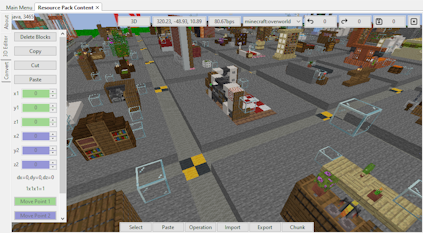
The primary feature is the world editor, providing you 3D or 2D environments to modify. Each one has its purpose, which depends on what you want to get done. For instance, the 3D editor allows you to visually see how your Minecraft world appears in-game from a player’s perspective. This gives you the ability to make quick edits to builds, copy / paste them to different locations, among other things. You can also do the same for the Nether or End dimension!
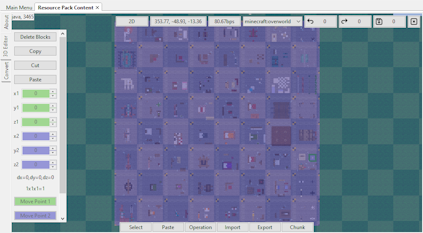
On the flip side, the 2D editor gives you a top-down reference of your world’s chunks. This is best for designing complex machines, farms, or fixing corrupted regions. If you’re aware of the location of a problematic chunk, this editor can be helpful. It’s especially useful when troubleshooting to identify which region is causing issues in your Minecraft world. These two editors from Amulet will work the same on Java & Bedrock Edition.
Converting Worlds
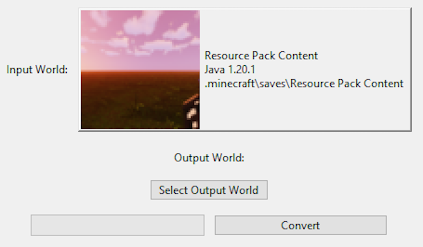
Another popular feature of this program is the ability to convert worlds! This tool allows the conversion between Java to Bedrock and vice versa, which is super helpful for those moving from one platform to another. Additionally, you can convert worlds on the same edition, but for a different game version. Input the world you want to convert, then use an output world for it. Make sure to keep note of your coordinates in-game.
Known Limitations
- Items are only supported on the same platforms (Java to Java / Bedrock to Bedrock).
- Entities (mobs, armor stands, etc.) are not supported and should not be modified.
- Chunks that aren’t loaded will appear as red and cannot be modified.
- Issues with block translations and blocks that have not been implemented yet.
Important Notes
- Execute the amulet_app.exe file to run the program, otherwise use “run from source”.
- AmuletMC supports Java 1.12+ and Bedrock 1.7+ worlds.
- Server and Realm worlds are supported on the program, but must be downloaded.
- Editing modded worlds is possible, but can result in issues.
- Importing or exporting structure files (.schematic, etc.) is possible.
- Modifying PS4 Minecraft worlds can work, but extra steps are required to decrypt files.
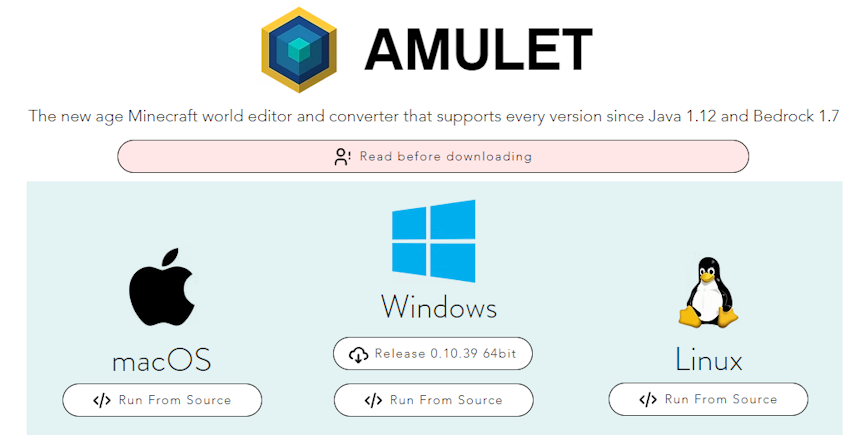
AmuletMC – Java & Bedrock
The former contributors of MCEdit Unified developed this all-in-one tool for modifying Minecraft worlds, Amulet. Thousands of players have used this program to create adventure maps, fix corrupted chunks, and countless other tasks. Whether you’re on Java or Bedrock, singleplayer or multiplayer worlds are supported. Give it a shot, today!





















