

File management just got a major upgrade 🚀
Our new FTP File Access Panel delivers a modern design with smoother navigation and improved usability. The updated layout makes working with your files more intuitive, while new tools give you greater flexibility and control. Whether you’re uploading modpacks or editing configs, these changes make managing your server easier than ever. Best of all, this upgrade is completely free for every Apex Hosting server!
Brand New Features
As the leading hosting provider for Minecraft, our goal is to help you make the best game server. Whether you’re creating a large community or a private world for friends, managing the server files plays a critical role. Some new features include an improved file editor, better user experience, and overall optimizations. This applies to all of our game selections too! Let’s take a look at the new FTP Panel features 👏
Click the image to enlarge it
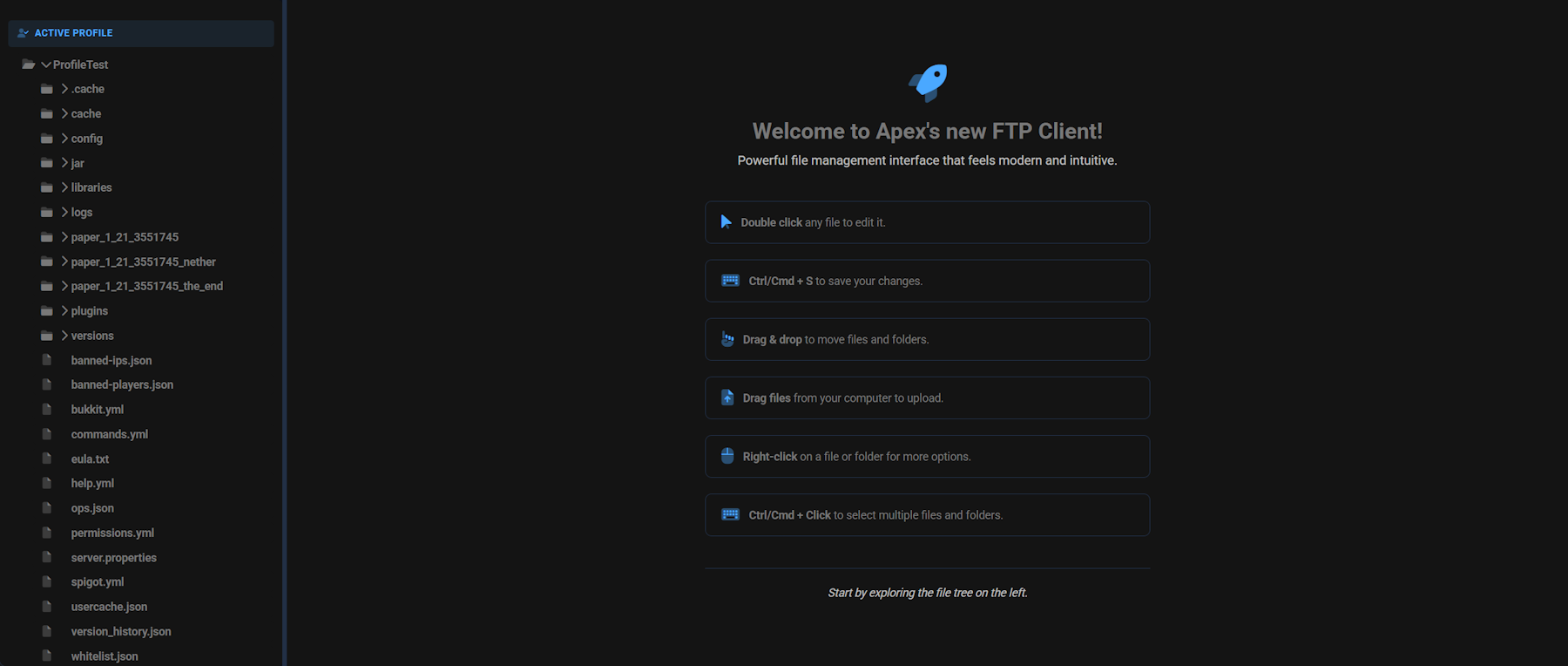
This redesigned panel is streamlined for efficiency and convenience. The left-hand panel allows you to quickly look through directories, including different Server Profile. This means you can view everything from one page, rather than having to constantly go back and forth. Open up a folder, view its contents, close it back up, rinse and repeat. On top of that, you get access to new hotkeys and quick actions. These include:
- Double Click: Open and edit a file directly in the panel.
- Drag & Drop: Move files and folders within the file tree.
- Drag Files: Upload files from your computer into the server.
- Right-click: Access additional options for files or folders.
- Ctrl / Cmd + S: Save your changes when editing a file.
- Ctrl / Cmd + Click: Select multiple files and folders at once.
⚠️ If you want to use the old panel, click ‘Return to old view’ in the bottom right.
Easier File Options
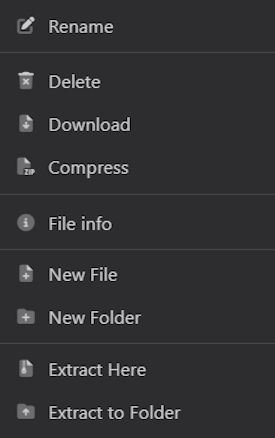
Instead of having file options at the top of the screen, it’s now easily accessible by right-clicking any file or folder in the new FTP panel. Whether you want to create a file, compress multiple files, or delete configs, these options make it easier.
- New File: Create a blank new file in the current directory.
- New Folder: Create a new directory for organizing files.
- Rename: Change the name of a file or folder.
- Delete: Permanently remove a file or folder.
- Compress: Bundle multiple files/folders into a .zip archive.
- File Info: View file properties such as size and modification date.
- Download: Save a copy of the selected file/folder to your computer.
- Extract Here: Unzip contents into the current directory.
- Extract to Folder: Unzip contents into a newly created folder.
Advanced File Editor
Click the image to enlarge it
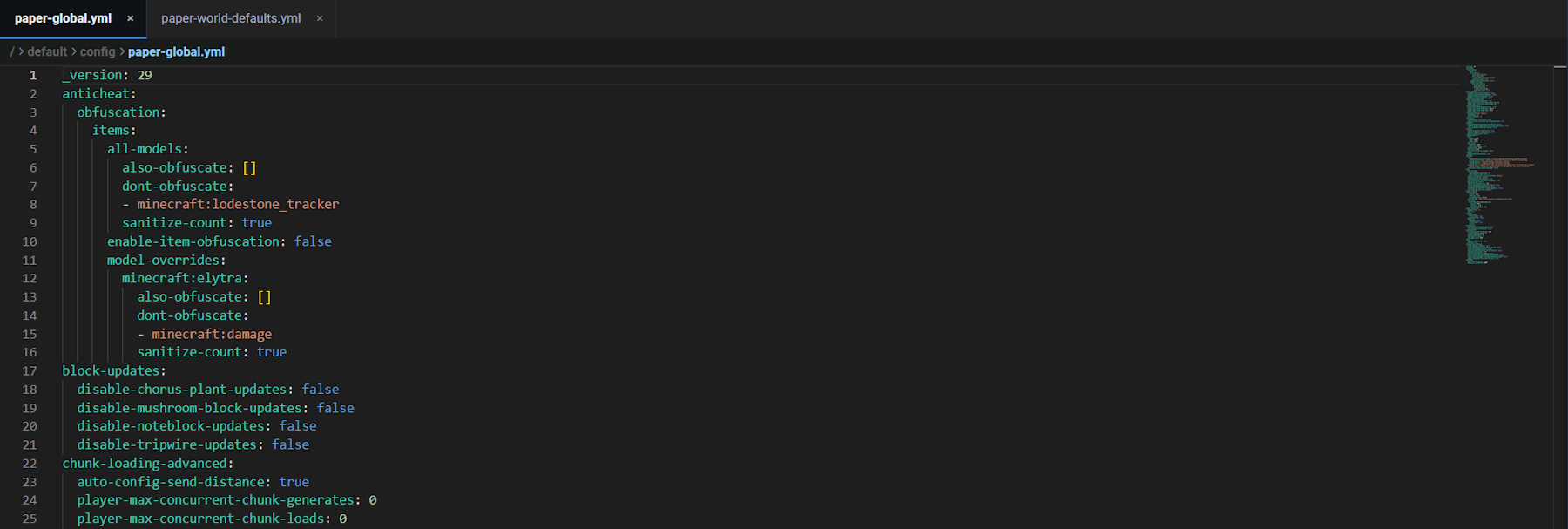
Editing server configurations is now faster, cleaner, and more intuitive. Double-click any file to open it in the advanced editor, and keep multiple files open at once for easy switching. A live preview panel lets you jump around large files without endless scrolling, while unsaved changes are clearly flagged. Hotkeys like Ctrl / Cmd + S make saving edits effortless, letting you tweak settings with confidence and ease.
👉 For more information about the FTP File Access Panel, visit our guide here.
New FTP Panel is Available Now!
With the new panel design, managing your server has never been easier, faster, or more enjoyable. From smoother navigation and powerful hotkeys to advanced editing tools and simpler file options, every feature was designed with you in mind. And the best part? It’s a completely free upgrade for all Apex Hosting servers. Dive in today and experience the next level of server file management!





















