

Overview
As you play on a game server, the network connection that is experienced may not be desirable for all players. Whether the server owner wishes to improve the ping for themselves or for other people, transferring the server location can improve these circumstances. Choosing a location is key, as the further a player is from the region, the more latency they may experience which will disrupt gameplay. When this arises, choosing a new location can remedy the issue with the only change being a new IP address. Transferring the server location with Apex Hosting is as easy as using a dropdown menu, so we have written this tutorial to guide you through the setup steps.
Selecting a Server Location
While there are a variety of factors to consider when selecting a location, the distance to the location and the subsequent ping is one of the most vital. To ensure the best connection during gameplay, we recommend verifying your ping across each location to make an informed decision.
- Visit the Apex Hosting website page.
- Scroll down to the
Test Our Server Locationssection.
- Press the green
Test Pingbutton to test the connection. - Once complete, check the results to see which locations will suit you best.
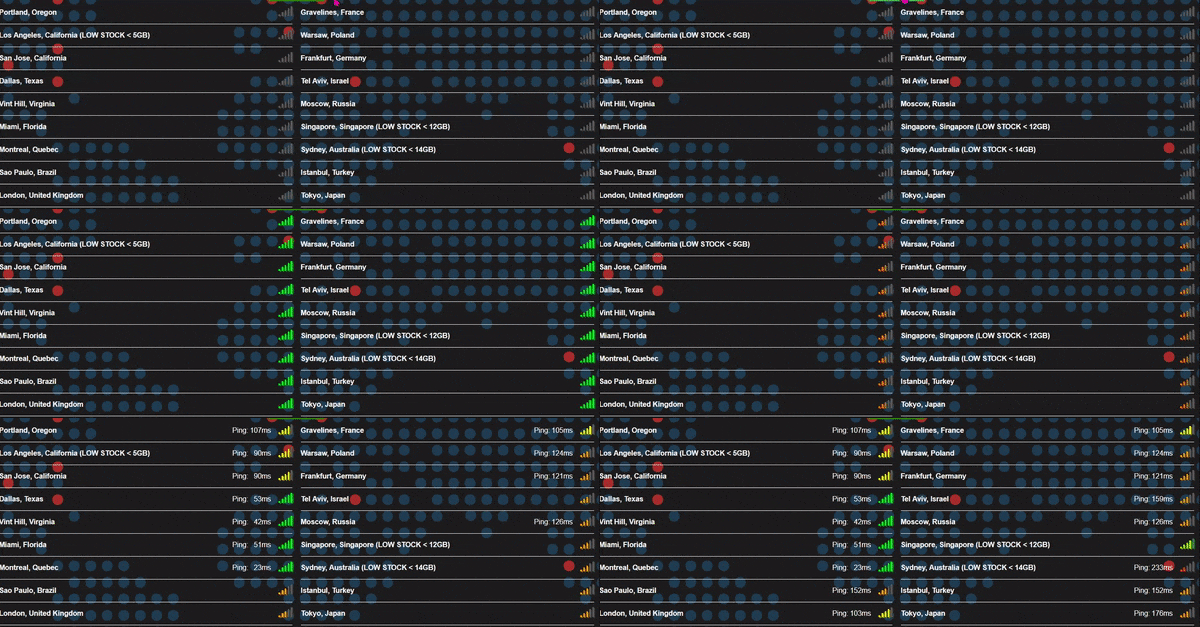
With ping, a lower number will result in a faster and more consistent connection to the server. Once ping begins to reach above the 80ms range, some lag may be noticeable. As the connection worsens, ping delay will become increasingly noticeable, so selecting the region with the lowest ping result is recommended.
Transferring the Server Location
Once you have tested the server locations that work best, you can proceed with transferring your server to your selected location.
- Visit the Apex Server Panel, then press the red
Stopbutton. - Once the server is offline, locate the
Server Locationsection. - Here, open the dropdown menu to view all available server locations.
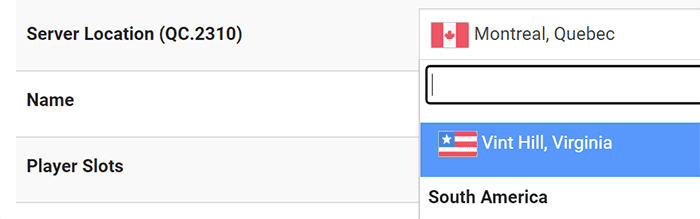
- Locate and select your desired location from the list.
- When the pop-up appears, optionally enter a transfer reason.
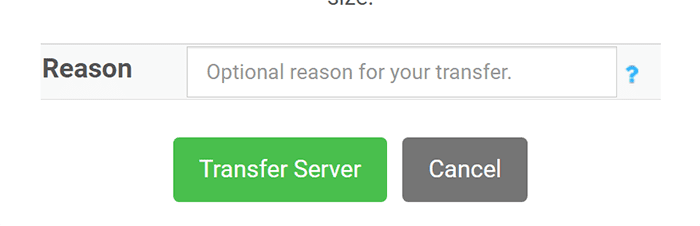
- Finally, press the
transfer serverbutton to begin the process.
A new page will now open, displaying the server transfer status. You will be able to see which stage the transfer is on, as well as the overall progress. You should now make note of your new IP address listed on the panel, then continue to play once the transfer is complete!
Common Issues
Sometimes, a server transfer might not go as smoothly as planned. This isn’t common, but if it happens, it’s usually due to a temporary hiccup. For example, the server’s current location might be having network issues, or the transfer process might just time out.
If you run into trouble, here are a few things you can try:
- Retry the Transfer: If the progress bar was moving along nicely before it failed, simply trying the transfer again can often push it through.
- Try a Different Location: You can also cancel the transfer and try moving the server to a different location that you had a good ping with.
If the transfer keeps failing, don’t worry! Our support team is here to help. Just submit a support ticket, and we can handle the transfer for you manually.
Keep in mind that if a server location is experiencing a temporary outage, transfers won’t be possible until it’s back online. This applies even to manual transfers by our team, so you may need to wait a short while for the issue to be resolved before trying again.
Conclusion
With that, you now know how to select the server location that is best and how to transfer the server. As a server owner, selecting a location that will work for all players is often difficult unless everyone is within a close proximity. As the location is moved further, latency will increase and networking issues may be experienced and disrupt gameplay. When faced with players across a variety of locations, selecting a location that is central to all may be beneficial, however we still recommend maintaining a decent ping for the server owner above all else. Now that you know how to move the game server’s region, you can relocate it when you deem it necessary and continue to play.





















