

Every seasoned adventurer knows that fumbling through your hotbar to switch between a pickaxe and an axe is a major slowdown when you’re trying to gather resources. The Multitools Hytale mod completely solves this by combining the functionality of both into one awesome, super-efficient item! In this Apex Hosting guide, we’ll show you how to install Multitools on your Hytale server with our one-click installer 👏

Multitools Installation
- Head towards your Apex server panel, then click
Stopat the top. - Navigate to
Server Configuration > Modboxon the left.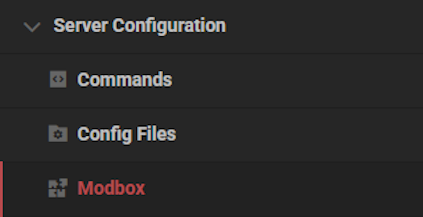
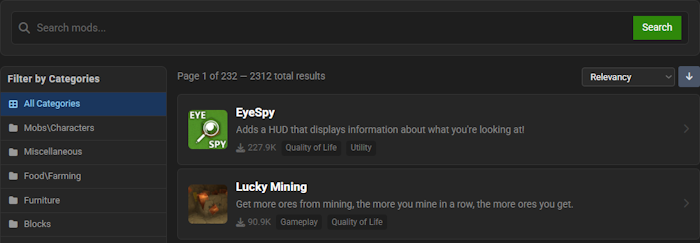
- Locate the mod via categories or the search bar, then select it.
- Choose a version on the right and click
Install.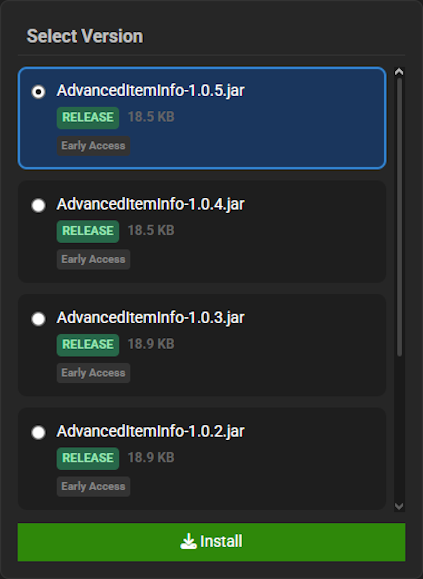
- Return to the main panel and
Startup the server to load the mod.
Multitools Showcase
Multitools revolutionizes your toolbelt by combining multiple functions into a single, powerful item. This mod introduces several new mechanics that streamline your adventures and resource gathering.
Tool Tiers
The Multitools mod adds eight distinct variants that perfectly align with the game’s core material progression. You can craft these powerful Multitools from Crude all the way to Mithril, ensuring you always have an all-in-one tool that matches your current equipment level. This clear progression makes upgrading your gear a satisfying and logical process.
Crafting Balance
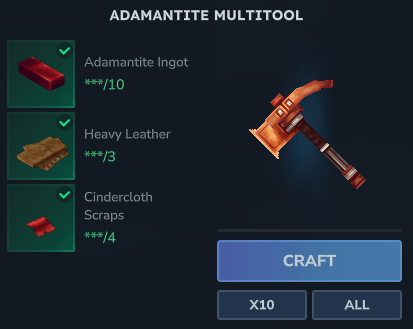
To account for their incredible versatility, Multitools feature balanced crafting recipes that require more resources than their single-use counterparts. This design choice ensures that the convenience of carrying one of these Multitools is a rewarding, earned upgrade rather than an automatic replacement for early-game tools.
Deep Configuration
For ultimate control, an optional configuration file allows you to enable a durability override and set custom durability values for each tier of Multitools individually. This empowers you to perfectly tailor the challenge and longevity of your Multitools to fit your exact playstyle or server-wide rules.
Modded Hytale Server Hosting
Multitools revolutionizes your Hytale experience by combining the functionality of several tools into one, saving you valuable time and inventory space. You are now equipped to tackle any challenge that comes your way, because adventure awaits. Invite your friends and prepare for an unforgettable journey!
Frequently Asked Questions
Below are frequently asked questions about the gameplay features in Multitools.
What do Multitools do?
Multitools combine the functionality of a pickaxe and a hatchet into a single, versatile item. This allows you to efficiently mine stone, ores, and chop wooden blocks without needing to switch between different tools, which speeds up progression.
What tiers of Multitools are available?
The mod introduces 8 multitool variants that align with the standard material progression. The available tiers are Crude, Copper, Iron, Thorium, Cobalt, Adamantite, Onyxium, and Mithril.
How do I change the durability of the Multitools?
You can change the durability through the optional configuration file. To do this, locate the config file and set “EnableDurabilityOverride” to true. Once enabled, you can define a custom durability value for each tier of multitool. Note that enabling this configuration may cause conflicts with other mods that modify tool stats, such as LevelTools.






















