


As your Hytale server grows with more players and mods, keeping performance stable becomes essential. Spark is a powerful diagnostics mod that lets you monitor TPS, CPU usage, memory, and more to quickly track down lag or instability. In this Apex Hosting guide, we’ll show you how to install and use Spark on your Hytale server 👏
What is Spark for Hytale?
Spark gives Hytale server owners deeper visibility into how their world is performing behind the scenes. It collects detailed metrics about server activity, including tick performance, system resource usage, and entity processing, then presents that information in easy-to-read reports and live monitoring tools.
This makes it much easier to pinpoint slowdowns caused by heavy builds, large player activity, or demanding mods. Rather than relying on trial and error, you can review accurate performance data and make precise adjustments to improve stability and responsiveness across your server.
Installing Spark on Your Hytale Server
- Head towards your Apex server panel and click
Stopat the top. - Navigate to
Server Configuration > Modboxon the left.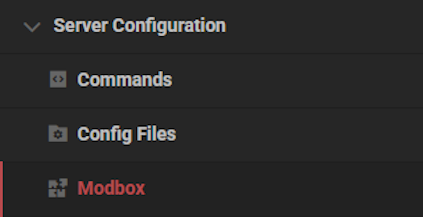
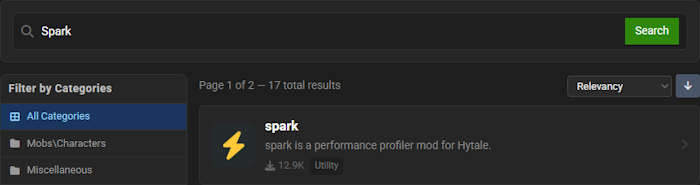
- Search for “Spark” in the text box, then select it.
- Choose a version and click
Install, then return to the main panel.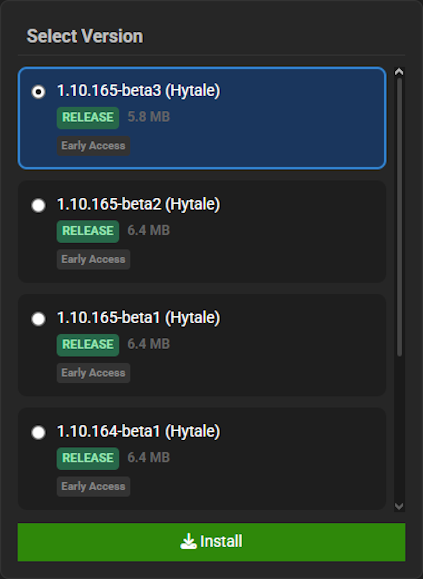
- Click
Startat the top and join the Hytale server once it loads.
How to Use Spark
Using Spark on your Hytale server is easy and straightforward. You’ll only be using commands, but with admin permissions. The following sections will cover the basics – but we strongly recommend visiting the official documentation to learn more.
Profiler Usage
One of the most powerful ways to troubleshoot performance issues on a Hytale server is by using the Spark profiler. It generates a detailed analysis report that breaks down tick entity usage, CPU load, and active memory consumption — all displayed with clear values and percentages.
Start this process by using /spark profiler start, then stopping it with /spark profiler stop. For the most accurate results, let it run for about 5-15 minutes before stopping the profiler. This gives the system enough time to capture meaningful performance data instead of a short snapshot.
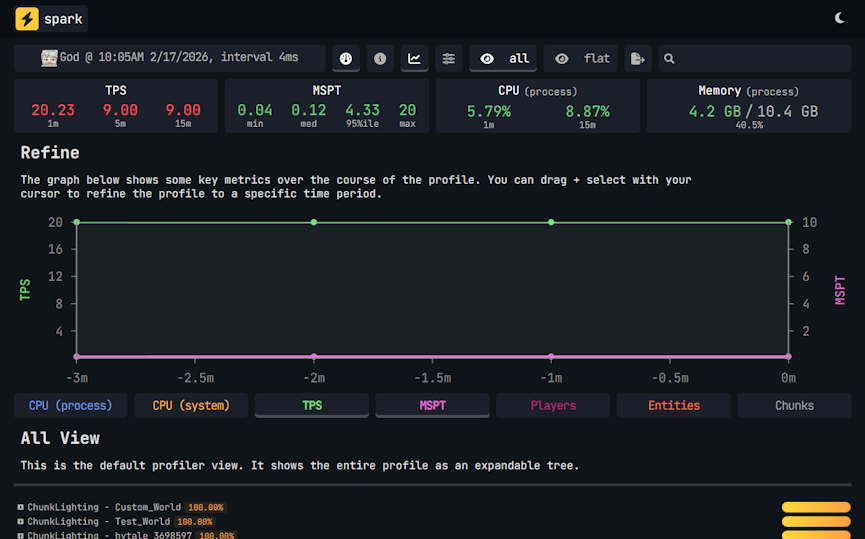
Hytale Spark Profiler Report
You can also add extra arguments to refine your test. For example:
/spark profiler start --timeout [seconds]
This automatically stops the profiler after the specified number of seconds, making it perfect for controlled diagnostics without needing to manually stop the test.
Server Health Report
If you’re just looking for a quick performance overview instead of a full deep dive, Spark also includes a health report for your Hytale server.
Get started by using the /spark healthreport --network command.
This command provides a clean, easy-to-read summary of:
- TPS (Ticks Per Second)
- Tick durations
- CPU usage
- Memory usage
- Network activity
It’s a great first step when diagnosing lag or instability. Before assuming something is broken, check the health report. Many server owners use this regularly to monitor background performance and catch issues early.
Extra Features
Spark includes several additional commands that can be helpful for Hytale operators, such as:
/spark ping/spark tps/spark tickmonitor
These commands give real-time snapshots of what’s happening on your server. While they aren’t used as frequently as the profiler or health report, they’re incredibly useful when tracking short performance spikes or monitoring live events.
For even more advanced tools and command options, be sure to review the official Spark documentation. It contains deeper configuration options and extended diagnostics for server administrators who want full control over their Hytale server’s performance monitoring.
Hytale Server Diagnostics
With Spark installed, diagnosing performance issues on your Hytale server becomes simple and straightforward. Instead of guessing what’s causing lag, you’ll have clear data showing exactly where resources are being used and what needs attention. Regularly checking health reports and running the profiler when needed can prevent small issues from turning into major problems. By actively monitoring your server with Spark, you’ll maintain smoother gameplay, better stability, and a more enjoyable experience for everyone online!





















