

After years of anticipation, Hytale has finally arrived – and one of the first things players want to do is jump in with friends. Hypixel Studios offers multiple ways to experience the game together, whether that’s opening a singleplayer world for online play or setting up a dedicated server. Each option comes with its own benefits, from quick and casual sessions to fully customizable worlds. In this Apex Hosting guide, we’ll walk you through the best ways to play Hytale with friends so you can get started fast 🔥
Hytale Online Play
In singleplayer, you might have noticed an “Online Play” option in the menu. This allows you to open your world for others to join via your share code. It uses your IP address as the host, so only do this method with the people you trust. Additionally, you must be online for anyone else to join. When you’re ready, follow these sections:
Singleplayer Setup
- Launch Hytale and connect to your singleplayer world.
- Press
ESCon your keyboard, then clickOnline Play.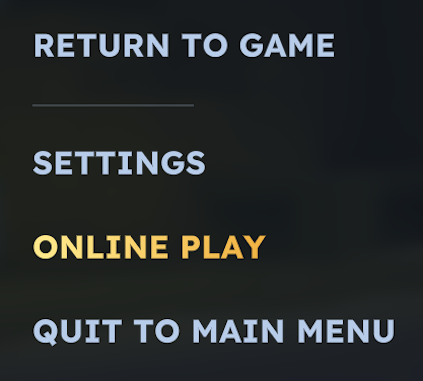
- Enable ‘
Allow Other Players to Join’ at the top. - (Optional) Set up a password to further restrict access.

- Click
Savewhen you’re finished, then copy the share code when prompted.
Keep the code ready to share with friends 👏
Inviting Friends
- Make sure to have the share code copied, then send it to your friends.
- Have your friends launch Hytale and click
Serversfrom the main menu.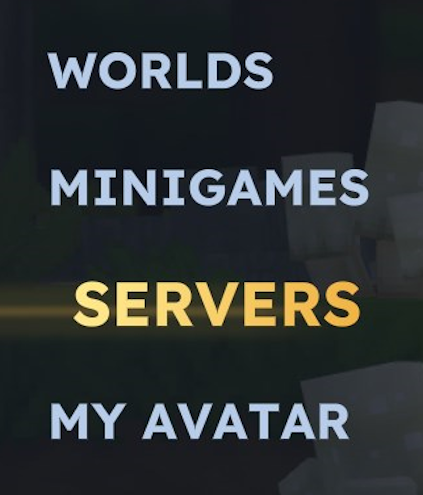
- They need to select
Join via Codefrom the bottom left corner.
- Have them paste the code and click the
Joinbutton to connect.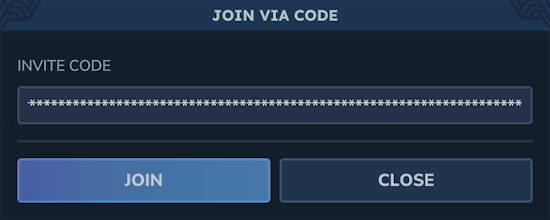
- If successful, they will begin loading into your singleplayer world.
Hytale Server Hosting
If you want a dedicated world to play with friends, then renting your own Hytale server is the perfect solution. You would have an advanced server panel with tons of configuration options. From custom modding to editing simple settings, everything is easily accessible. On top of this, the server will be running 24/7 and doesn’t require you to be online for it to work. Follow the sections below to get started:
Server Setup
- Navigate to the Hytale Pricing Page and choose a server plan.
- Fill in your details and select addons if you want, then checkout.
- You should receive an email containing your server panel information.
- Head towards your Apex server panel & login with your credentials.
At this point, you can begin customizing your Hytale server! We encourage you to review some of our guides below 👇
- How to Install Hytale Server Mods, Plugins & Assets
- How to Become Admin on a Hytale Server
- How to Set a Whitelist & Password on Your Hytale Server
Click Here for More Hytale Guides
How to Join
- Launch Hytale and click
Serversfrom the main menu. - Select the
Direct Connectoption at the bottom.
- Enter your
IP Address:Portin the Server Address field.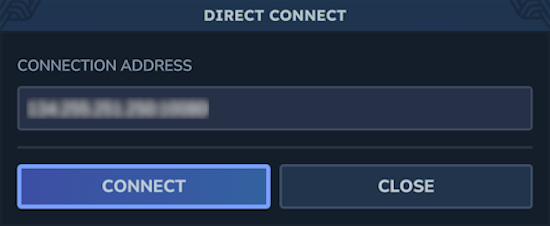
- Click
Connectand you’ll begin joining the Hytale server.
How to Create Your Own Hytale Server
For those who want to avoid renting, your last choice is to manually create the entire Hytale server from scratch. This requires you to review and follow the Official Server Manual created by the Hytale Team. During this process, you might encounter various problems – from invalid configurations to networking issues. Take your time and follow the manual to begin.
Playing Hytale with Friends!
Invite your friends and jump on Hytale to embark on epic adventures – from exploring dangerous zones to messing around with creation tools, there are many activities to check out. All of this is made possible by the three methods to get started: online play, server hosting, and creating your own server. Whichever way you choose, we’re excited to help you play Hytale with friends!





















