

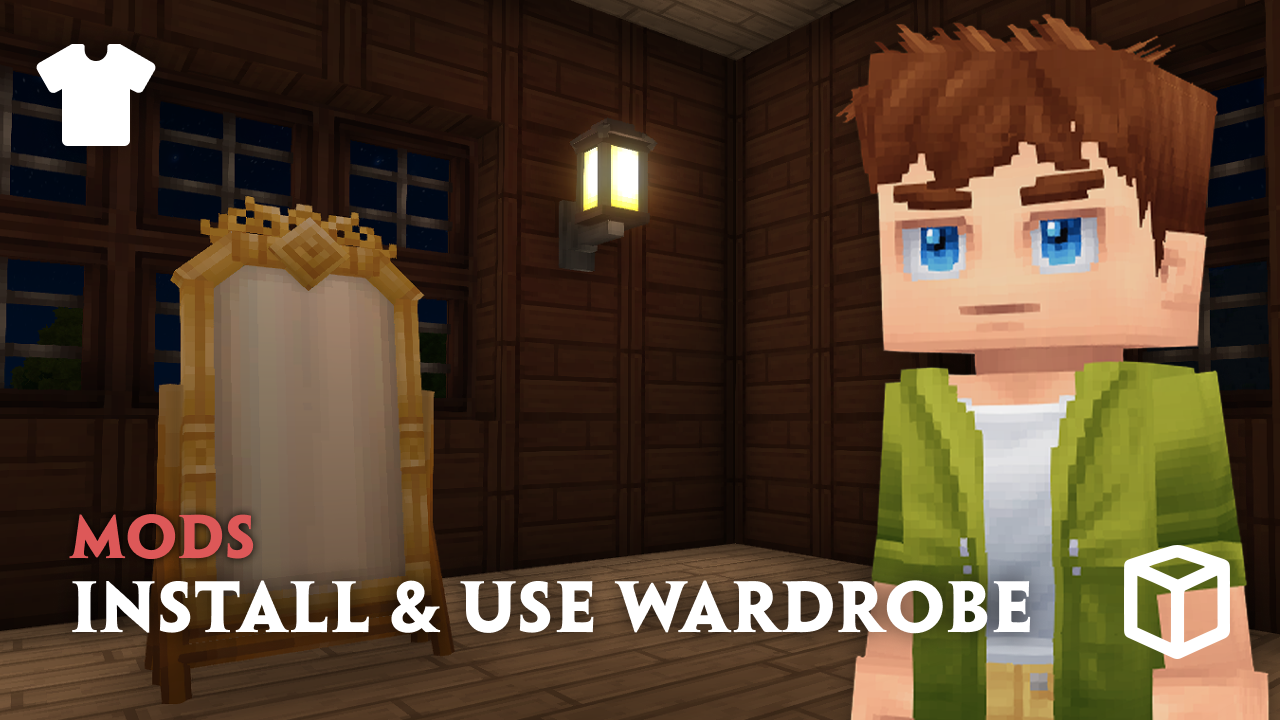
Looking to expand avatar customization on your Hytale server? Try out the Wardrobe mod – this introduces a flexible asset pack cosmetic system that works seamlessly with the base game. Whether you want custom capes or new outfits, the Wardrobe mod for Hytale makes that possible. You can even create your own cosmetics or install published packs instead.
In this Apex Hosting guide, we’ll show you how to install the Wardrobe mod for your Hytale server and showcase important features to get you started 👏
Wardrobe Mod Installation
- Head towards your Apex server panel and click
Stopat the top. - Navigate to
Server Configuration > Modboxon the left.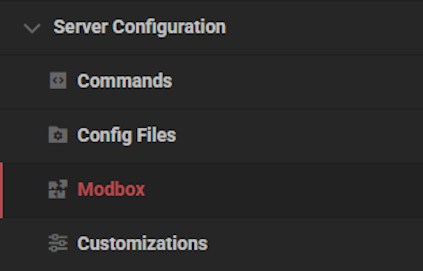
- Type “Wardrobe” in the search bar, then select it.
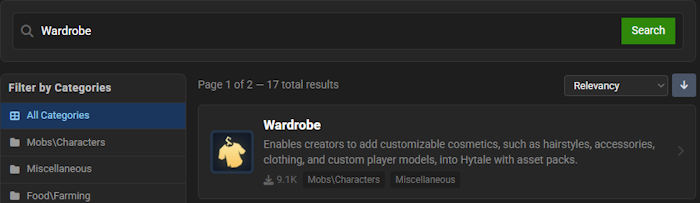
- Choose a version and click the
Installbutton.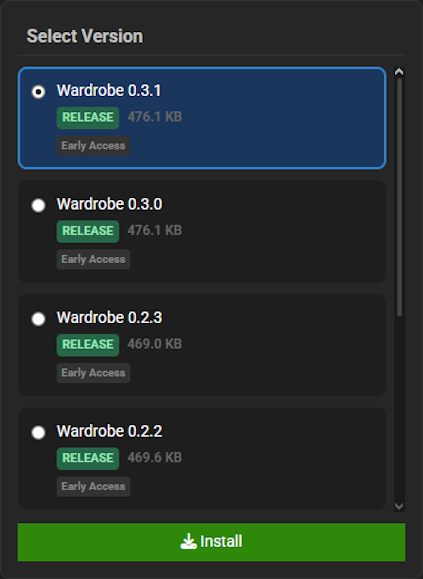
- Return to the main panel, then click
Startat the top.
Hytale – Wardrobe Mod Showcase
Once the Wardrobe mod is installed on your Hytale server, use /wardrobe in-game with admin permissions to open the menu. This should look familiar, as it resembles the standard avatar customization menu. This is where you can find all the different cosmetics to wear! You can also use the Cosmetic Mirror to access this menu, which is a craftable block.
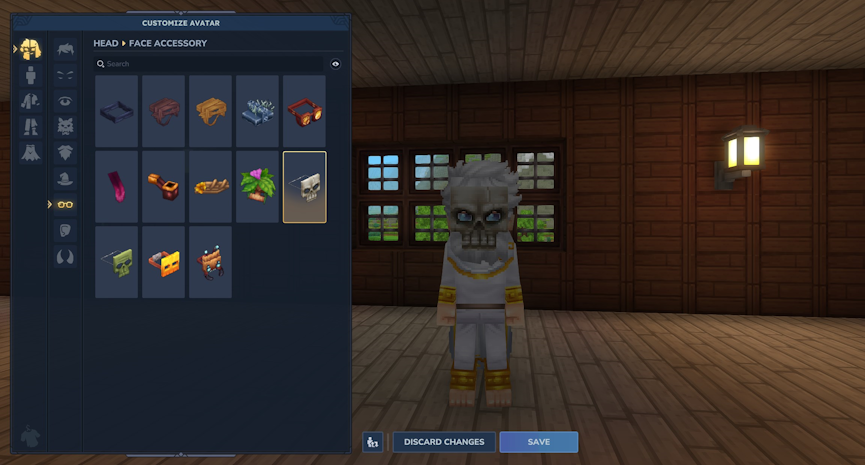
All official Hytale cosmetics cannot be modified inside of the Wardrobe menu. They’re the default appearance of your character, so any custom cosmetics will simply override them. This will only show on the server and anyone else connected to it. An important detail to remember is that cosmetics are not included by default.
How to Find Cosmetics for Wardrobe API
The best way to find custom cosmetics for the Hytale Wardrobe mod is using CurseForge. However, you can find others elsewhere online. Here are some examples you can try:
Both of these add a bunch of new outfits, masks, capes, and more in Wardrobe!
Cosmetic Types & Customization
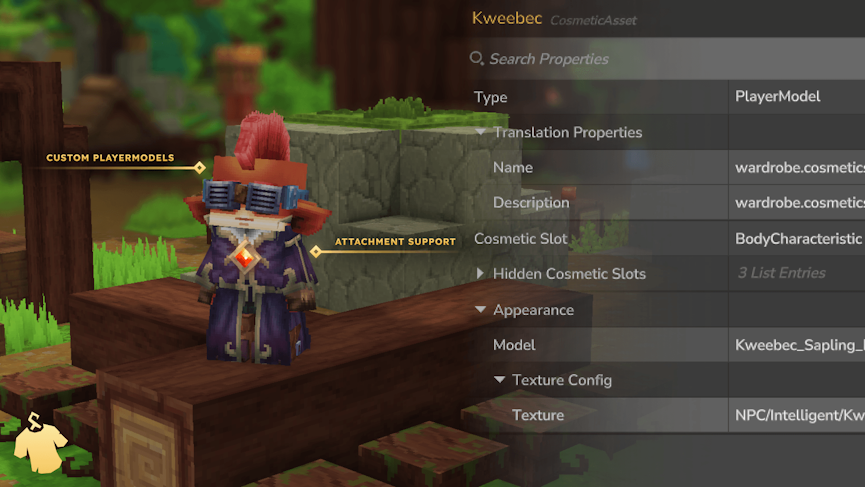
Wardrobe supports two primary cosmetic types: Model Attachments and Player Models.
Model Attachments are the standard option and work similarly to Hytale’s built-in cosmetic system. They attach directly to your character and can support different textures, color options, and alternate styles. Player Models are more advanced and replace your character’s entire model. This allows for completely unique character appearances, including custom animations and proportions.
Overall, Wardrobe supports features like multiple texture options, recolorable cosmetics, alternate styles, and even appearances that react to armor or other equipped cosmetics.
For Creators & Developers
Cosmetics are defined using .json files and require no coding for standard implementations. Once properly structured, they automatically appear in the Wardrobe menu and can reload live using the in-game Asset Editor.
Cosmetic .json files should be placed in:
[Asset Pack]/Server/Wardrobe/Cosmetics/[cosmetic_id].json
Common assets such as blockymodels, textures, animations, and other shared files belong in the [Asset Pack]/Common/ directory, following the standard asset structure. Wardrobe also includes an extensible API for developers who want to create new cosmetic types or integrate cosmetics directly into their own systems.
Since the API is still evolving, it’s best to consult the official documentation for the latest implementation details. Click here to learn more!
Custom Cosmetics for Hytale
Adding custom cosmetics becomes simple and flexible with the Hytale Wardrobe mod. From community created packs on CurseForge to your own custom asset packs, Wardrobe gives server owners full control over character appearance. Whether you want small visual additions or complete character transformations, this mod can help with in-game customization!





















