

Creating your own CurseForge Server for Minecraft is a great way to play with friends!
However, there are important details and steps to review before getting started. Information such as the specific server type you want, individual mods or modpacks, and other stuff that factors into a CurseForge Minecraft Server. With this in mind, we’ve created this Apex Hosting guide to help you begin! Whether you want a Forge, Fabric, or All The Mods server, you have endless options – let’s begin 👏
Server Types for Minecraft
There are several different and unique server types to choose from, such as Forge or Fabric. Beyond that, you can also select modpack types that come pre-installed with mods. It depends on if you want to build the server from the ground up or use existing types with built-in features.
Here’s the breakdown:
- Forge – A long established and widely used modding platform with a very large library of compatible mods, making it ideal for bigger modded setups.
- Fabric – A lightweight and modular modding loader known for strong performance and quick update times, great for smaller or performance-focused servers.
- NeoForge – A modern fork of Forge focused on performance improvements, stability, and updated modding standards, with growing support among newer mods.
- Quilt – A community driven fork of Fabric offering additional flexibility, customization tools, and open development for mod creators.
- Modpacks – Collections of mods bundled together so you can immediately start playing a themed or curated experience without installing everything individually.
⚠️ There is no ‘CurseForge’ option because that isn’t a Minecraft server type.
CurseForge Server Setup
If you haven’t already, purchase a server with us to get started – then follow the instructions:
- Head towards your Apex server panel and locate the Game File area.

- Click on the currently selected option, then search for your server type.
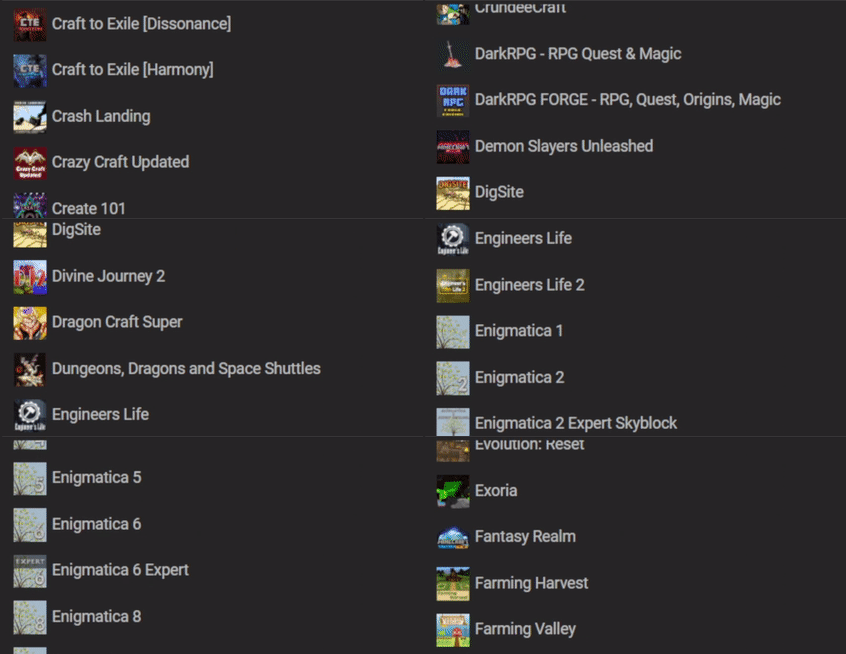
- Once found, click it and follow the prompts accordingly:
Change Version>Create New World>Restart Now - Connect to the server after it finished loading to confirm everything worked.
If any mods or modpacks are installed on the server, they must be installed on your launcher.
Additional Resources
If you’re ready to start installing mods or modpacks, the guides below will walk you through each step. Whether you’re using our automatic installer, setting up files manually, or creating your own custom modpack, these tutorials will help you set up everything. You’ll also find instructions for connecting through FTP, which is useful for managing and organizing your server files.
-
How to Install Modpacks (Server)
Follow this tutorial to install any modpack via our automatic installer for the server.
-
How to Manually Install Modpacks (Server)
If our automatic installer doesn’t have your modpack, follow this guide to install it.
-
How to Install Custom Modpacks (Client)
This guide shows you how to install modpacks you created with a mod list.
-
Modpack Creation Service Addon
We offer a service that allows you to have our team create & install a modpack.
-
How to Add Mods (Server)
Follow this guide to install individual mods to your server.
-
How to Connect & Use FTP (Server)
Learn how to login and use the FTP File Access panel to manage server files.
-
Apex Hosting Modpack List
This resource is a complete list of all modpacks we offer in the automatic installer.
If you need assistance or have questions, contact our Support Team – we’re here to help!
CurseForge Server Hosting
With the right server type and setup, you can create the perfect CurseForge Minecraft Server! Whether it’s for a small group of friends or modded community, you have full customization. Take your time choosing a server type, installing mods or modpacks, and tweaking settings to fit your playstyle. Enjoy your new CurseForge Minecraft server and have fun exploring together 🔥
FAQ – CurseForge Servers
A CurseForge server is a Minecraft server that uses mods or modpacks for Forge and Fabric. CurseForge itself is not a server type – it’s a mod hosting website and launcher.
Yes! You can easily switch between modpacks and server types, at any time. Keep in mind that we strongly recommend using server profiles when switching – it ensures safety.
We have an automatic installer that supports hundreds of modpacks, which come preinstalled. Simply select it from the Game File area of the server panel, then follow the prompts.
We may not receive a lot of requests for a specific modpack, so we do not integrate it in our automatic installer. Fortunately, you can still install the modpack manually on the server.
You can do that by creating your own custom modpack, installing individual mods, or editing config files via the FTP panel. Review our ‘Additional Resources’ section for more information.





















