
Ever since Minecraft launched, thousands of players have yearned for the early days. Recent updates bring wide varieties of new blocks, items, structures, and mobs, but many in the community take issue with the direction Mojang has chosen. What if Notch had taken a different path? The Better than Adventure (BTA) mod for Minecraft Beta 1.7.3 explores that alternate timeline, adding features that could have shipped years before they did. Whether you want to relive your childhood or experience old Minecraft for the first time, this guide covers how to install and play Better than Adventure on your own server.
How to Download
- Navigate to Better than Adventure, then click Download Update Utility.
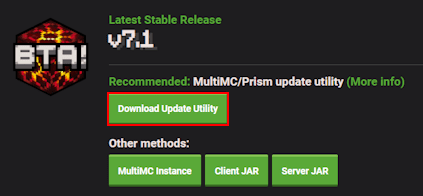
- Wait for this to download, then save them to your desktop for easy access.
Client Installation
Unlike other mods, BTA is specifically designed for Minecraft 1.7.3 and completely rewrites the codebase. Standard install methods will not work, so the MultiMC launcher is the recommended approach. Prism Launcher (a community fork of MultiMC) works equally well and is actively maintained as an alternative. Both launchers handle BTA updates automatically. Follow the steps below to get started.
- Download MultiMC and login with your desired Minecraft account.
- Proceed to drag and drop the BTA Updater ZIP file into your launcher.
*Alternatively, select the file from “Add Instance > Import from zip”.
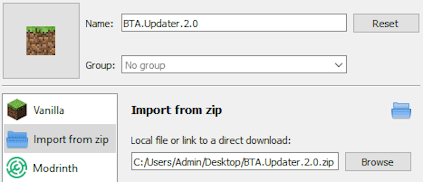
- Confirm this action, then double click it to begin downloading the mod.
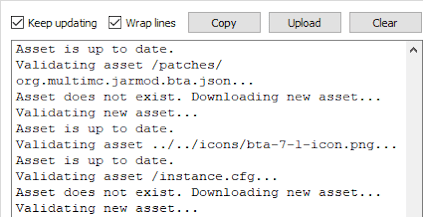
- Afterward, select “Better than Adventure! (Managed)” to start loading it up.
Server Setup
Before jumping into the game with friends, purchase a server if you haven’t already. The Apex server installer automatically sets up Better Than Adventure for you, skipping any manual file configuration. Follow the steps below to get started.
- Head towards your Apex server panel and locate the Game File area.
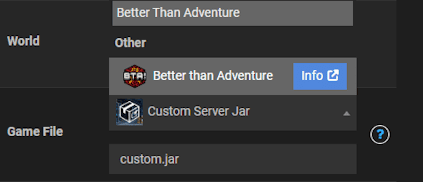
- Click the currently selected option, then search for “Better Than Adventure”.
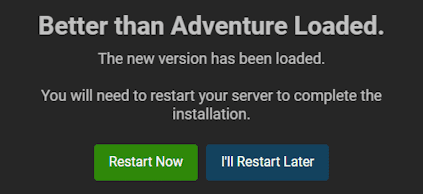
- Once found, press it and confirm the changes in the prompts.
- On the final one, select the Restart Now option to begin loading BTA.
- Use MultiMC to join the server to confirm everything worked as intended.
Better than Adventure Showcase

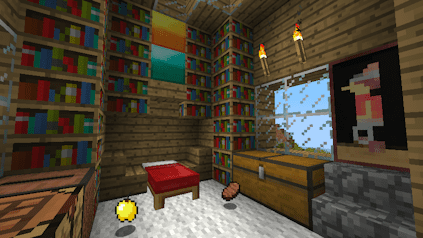
Upon generating the world, players can begin to experience Minecraft Beta 1.7.3 in a new light. Pressing “R” on your keyboard opens a guidebook, which covers crafting recipes, block details, and other tips. There are many differences between BTA and modern Minecraft: fewer biomes, altered textures, and different sounds throughout. Those who played the original beta will recognize all of these older elements immediately.
Play normally, build houses, decorate, mine for resources, and explore the world. Lighting in this version is changed, meaning areas go dark without nearby light sources. This makes surviving the night far more challenging, and you cannot stack food items the way you can in current Java Edition. These mechanics sum up what made Minecraft Beta so distinct.
New Biomes
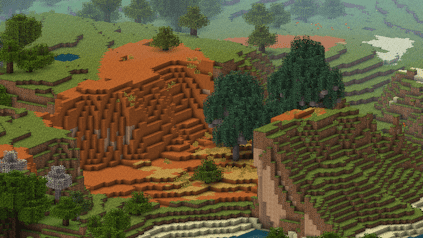
Despite having fewer biomes than modern Minecraft, Better than Adventure adds new ones to expand the variety. These include sandy patches with unique trees and enormous glaciers, plus cherry blossoms. This gives a picture of what Minecraft could have looked like in 2011 if Notch had added more environments. As the mod continues to update, more biomes may appear over time.
Unique Blocks

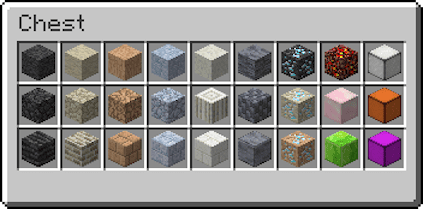
BTA introduces a full set of new building options to address the limited block palette of early Minecraft. New wood plank variants, colored chests, cobblestone variants, marble pillars, and slate bricks all expand what you can build. For mining, ores vary based on world generation, including granite and limestone diamonds alongside new minerals entirely. Explore everything in creative mode or use the “R” guidebook to browse what is available.
The Labyrinth
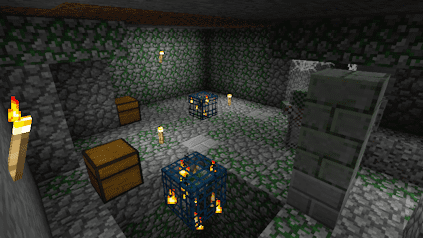
Rather than simple dungeons, Better than Adventure adds labyrinths full of dangerous mobs and valuable loot. These generate underground, scattered throughout the world. Once inside, stay cautious: zombies can spawn with armor and weapons. Bring torches since these dungeons are extremely dark. Clearing the labyrinth and securing it rewards you with the loot inside.
Extra Features
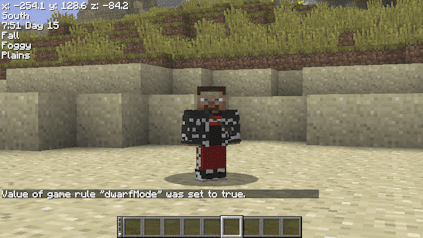
When you want to have fun with friends, BTA gamerules add unique experiences. For instance, using dwarfMode makes your character tiny. Others include having nightmares when you sleep, useful if you enjoy horror elements. There are also unique commands like /color, which gives you a colored username in chat. Try them out by first enabling cheats or operator permissions on your world or server.
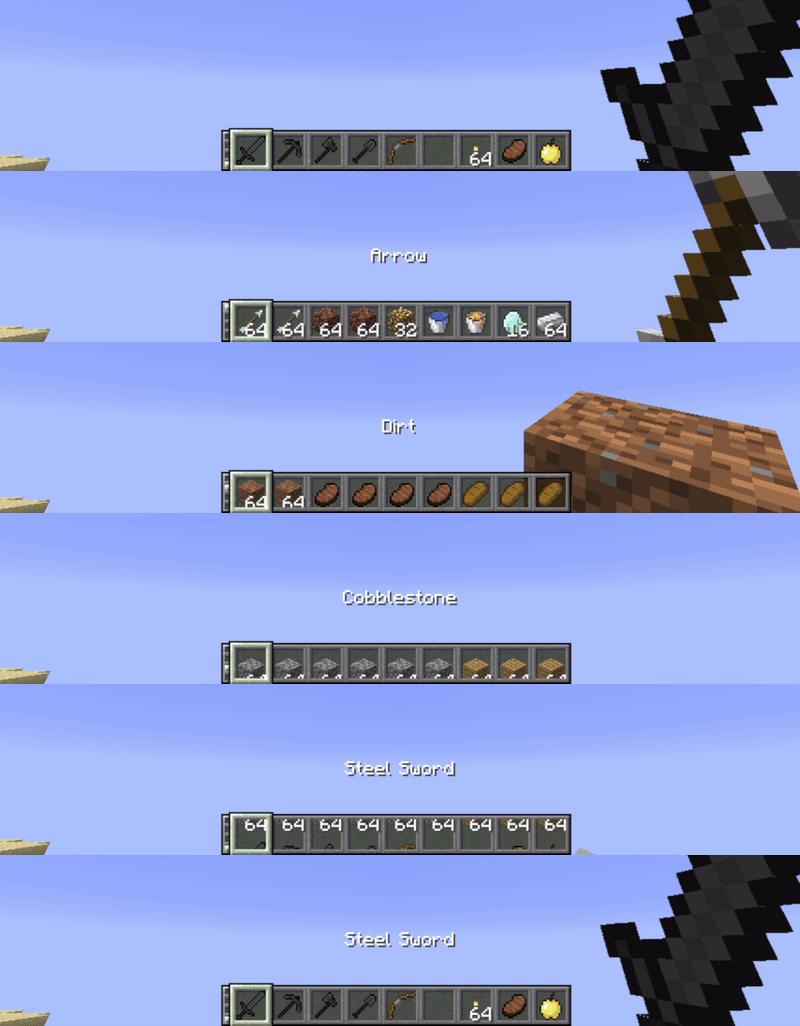
One of the best quality-of-life features in BTA is the upgraded inventory management system. Pressing “TAB” cycles through multiple hotbars containing all your items. This is useful when you need to quickly eat or swap between building materials. It is just one of many mechanics waiting for you in BTA Minecraft 1.7.3.
Unlimited Potential with Better than Adventure
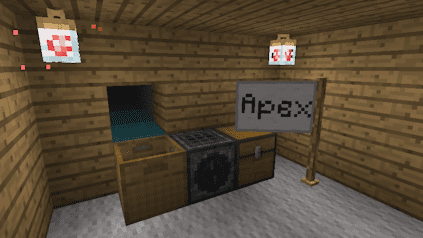
Playing BTA for Minecraft Beta 1.7.3 opens up activities not available in the standard game. These include automated sifting machines for valuable items, customizable flags, firefly lanterns, and mob farm baskets. Begin to explore what Minecraft could have been with Better than Adventure. Grab friends and set off on a unique journey back to beta, with upgraded features built on top.
Better than Adventure FAQ
What is Better than Adventure (BTA)?
The Better than Adventure mod is for Minecraft Beta 1.7.3 and completely reshapes what the game could have been. It adds new blocks, items, mob designs, features, and more to revamp old Minecraft.
Is Better than Adventure compatible with other mods?
Only mods made specifically for BTA are supported. The codebase is completely rewritten, which makes other Minecraft modifications incompatible.
Why can’t I craft a Bed in-game?
Players must use dropped cloth from zombies combined with one wool block to craft a bed. The standard crafting recipe does not apply in BTA.
Useful Links
How to Enable Cheats in Minecraft
How to Become a Minecraft Server OP