

Are you tired of the same old routine in Minecraft? Have you exhausted the default bosses and found that vanilla just isn’t the challenge it used to be? If you’re yearning for a true sense of discovery, terrifying new enemies, and a world where every corner holds a secret, then it’s time to look deeper.
Beyond Depth is the ultimate adventure and exploration modpack, completely overhauling the Minecraft experience with 400+ mods designed for players seeking a new kind of survival. In this Apex Hosting guide, we’re diving deep into the features that make this pack an instant classic! We’ll show you exactly how to get your Beyond Depth Server Hosting setup running in minutes. Let’s get started 👏
How to Download (Client)
Install CurseForge if you haven’t already, as it’s required for the modpack.
- Open the CurseForge App and search for “Beyond Depth”.
- Click
Installand wait for the download to finish. - The modpack profile will appear under
My Modpacksonce complete.
How to Install (Server)
Purchase an Apex Hosting Server if you don’t already have one, then follow these steps:
- Navigate to your Apex Server Panel and open the
Game Filesection. - Use the dropdown and search for “Beyond Depth”, then select it.
- In the prompts, click
Change Version>Generate New World>Restart Now. - Wait for the server to load and join using your Beyond Depth modpack profile.
Beyond Depth Showcase
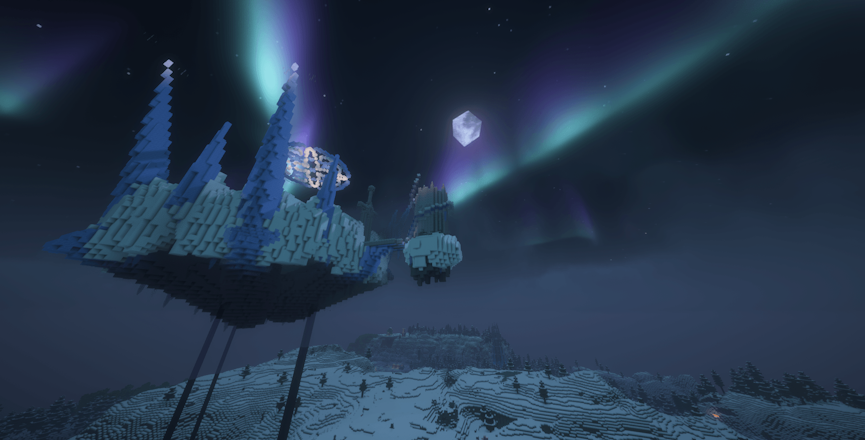
Beyond Depth isn’t just a collection of mods – it’s a meticulously crafted RPG-style survival experience. The pack focuses heavily on rewarding players for pure exploration and discovery, rather than relying too much on following a structured quest line. However, the quests are still there to provide guidance and multiplayer goals!
Here’s a quick look at the scale of the adventure awaiting you:
- 400+ Mods and counting, fully optimized with shader support.
- 300+ New Mobs designed to challenge every skill level.
- 35+ High-Quality Bosses, including massive, complex encounters.
- 500+ New Structures scattered across all dimensions.
A World Transformed
Forget familiar sights, Beyond Depth completely rewrites the book on world generation. The Overworld is unrecognizable, boasting expanded biomes and jaw-dropping landscapes, all complemented by custom visuals.
Vanilla structures you once knew, like villages and dungeons, have been overhauled to present greater challenges and new opportunities. Finding that small, familiar cobblestone structure no longer means easy loot; it means preparing for an ambush. The scale of the world is intimidating, promising hundreds of hours of unique progression as you explore every nook and cranny.
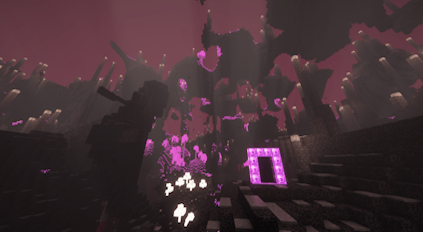
Dimensions of Darkness
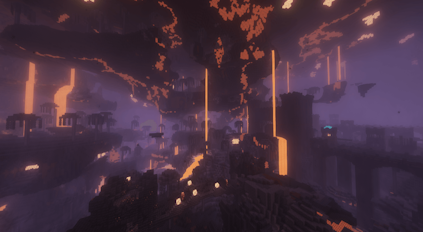
The adventure doesn’t stop at the Overworld. Beyond Depth introduces several massive, distinct dimensions, each with its own unique flora, fauna, and challenges. These are key areas you and your friends will need to explore to gather materials and progress your gear.
| Dimension | Theme & Danger | Key Features |
|---|---|---|
| The Undergarden | Dark, subterranean, and fungal | Unique plants, Rotspawn enemies, absence of natural light. |
| The Deeper and Darker | Ancient, deep-level expansion | Diverse biomes, mysterious structures, and challenging new blocks. |
| The Voidscape | Corrupted and treacherous | Floating islands, unique resources, and shrouded, cryptic landscapes. |
Combat & Challenges
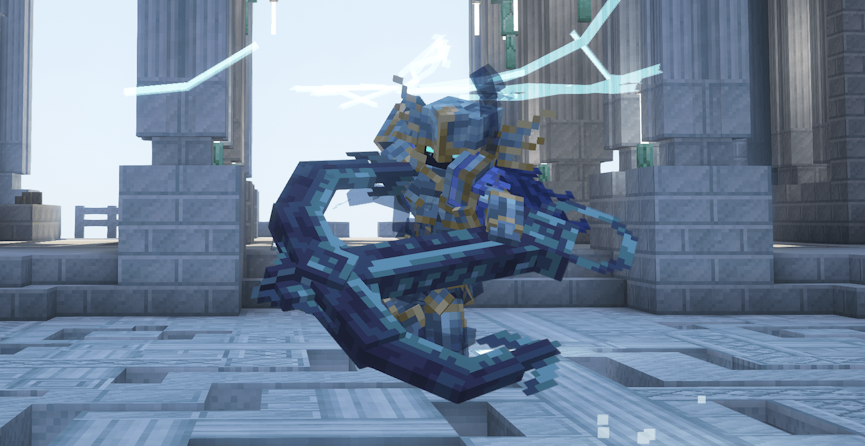
This modpack makes one thing clear: Vanilla combat is dead. With Better Combat, fighting is fast, strategic, and deadly! You’ll learn to use new moves like parrying to survive encounters with the huge roster of new mobs. The pack includes terrifying and complex creatures from mods like Mowzie’s Mobs and the large-scale cataclysms introduced by L_ender’s Cataclysm. Every fight, from a random encounter in a dark forest to the final boss battles, requires preparation and skill.
Surviving in Beyond Depth is a badge of honor. Will you wear it proudly?
Quality of Life & Tech
Beyond the adventure and danger, the pack ensures you have the right tools for a smooth experience, whether you’re building or exploring.
- Automation: The inclusion of the Create mod allows for incredible building contraptions and massive, complex automation systems, catering to the technical player.
- Exploration: Use Waystones for fast travel and rely on Xaero’s Minimap and World Map (press M) to navigate the massive world overhaul.
- Inventory: Press B to open your backpack and use T to toggle the convenient trash slot for quick clearing.
- Information: Need to know how to craft something? Press R while hovering over an item. Want to know what a block is used for? Press U.
VR & Controller Support
Beyond Depth aims to be accessible to a wide range of players and playstyles. If you prefer a more physical experience, the pack offers native support for both Virtual Reality and game controllers.
- Controller Ready: The pack has integrated controller support, but you may want to change the controls to your liking before beginning your adventure.
- VR Capable: The modpack fully supports VR. Note: To play in VR, you must disable the “enhanced visuals” mod.
Start Your Adventure with Friends!
Beyond Depth offers a uniquely balanced experience: challenging exploration and boss fights alongside robust QoL features and technical capabilities like Create. It’s built for survivalists, adventurers, and engineers alike, making it the perfect platform for a long-term multiplayer server. Gather your party, customize your keybinds, and prepare to face a world that is truly beautiful, but utterly ruthless.
Common Issues
In cases where you’re completely unable to join the server, double-check that you’ve installed the Beyond Depth modpack through CurseForge and launch the game from that. Additionally, see if your Apex server panel has successfully loaded the modpack.
We recommend lowering the render distance or other visual / graphic settings since this modpack is demanding. However, if all players on the server are lagging – then view our Modded Optimization Guide to find solutions.
You might want to increase the allocated memory on the CurseForge App to allow this modpack to run without any problems. This can be done by accessing the settings, then clicking Minecraft and scrolling down to Allocated Memory. However, there could be other reasons for the crash and may require you to do some troubleshooting.
This can happen for various reasons, but we strongly recommend contacting our Support Team. We will give you the assistance needed to resolve this problem. However, you can generate a new world to confirm if the world data is corrupted or causing the crash. If the server starts and doesn’t crash on a new world, then the old data is the reason.





















