

Ready to jump into a Minecraft experience so terrifying that the darkness itself is out to get you? While many modpacks claim to be horror-focused, Fear Nightfall: Remains of Chaos is one of the few that delivers a truly unique, immersive, and difficult challenge. It features custom content, linear progression, and its own dedicated shader to plunge you into a world of pure atmospheric dread.
In this Apex Hosting guide, we’ll show you how to install and play the Fear Nightfall modpack for Minecraft! Invite friends and leap into the chaos, let’s begin 💀
How to Download (Client)
Install CurseForge if you haven’t already, as it’s required for the modpack.
- Open the CurseForge App and search for “Fear Nightfall”.
- Click
Installand wait for the download to finish. - The modpack profile will appear under
My Modpacksonce complete.
👉 Fear Nightfall is also available on Modrinth, if you prefer that launcher instead.
How to Install (Server)
Purchase an Apex Hosting Server if you don’t already have one, then follow these steps:
- Navigate to your Apex Server Panel and open the
Game Filesection. - Use the dropdown and search for “Fear Nightfall”, then select it.
- In the prompts, click
Change Version>Generate New World>Restart Now. - Wait for the server to load and join using your Fear Nightfall modpack profile.
The Campaign: Remains of Chaos
The world you knew has ended. Following the defeat of Herobrine, the resulting chaos has given rise to new, greater entities that now rule all dimensions.
Fear Nightfall is built around the Remains of Chaos campaign, which throws you and your friends into a quest-based journey to restore peace in all the dimensions. This is not a sandbox pack! You must follow the linear quest line across seven chapters, culminating in a final boss fight. Every step you take is designed to be challenging, with a focus on survival and managing your character’s mental state.
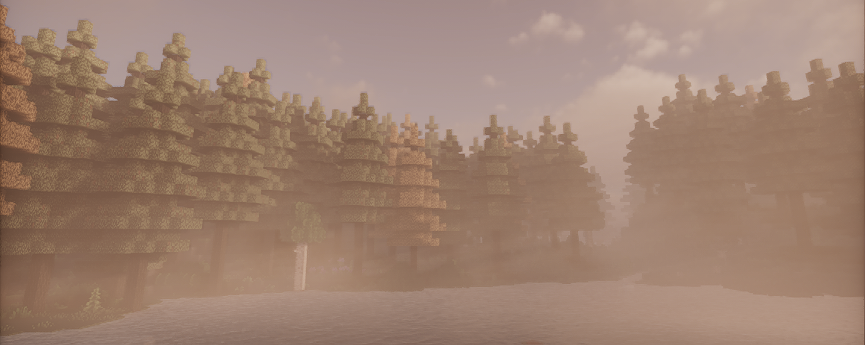
This modpack is perfect for co-op, featuring built-in proximity voice chat to heighten the horror. Nothing is scarier than hearing your friend scream right beside you as they get grabbed by a monster in the dark. This fear is amplified by the intense fog surrounding the entire Overworld, along with pitch black cave systems.
Gather new resources, explore unique structures, and defend yourself against the horrors.
Key Features – Fear Nightfall
The success of Fear Nightfall comes from its blend of custom mechanics and specialized visual atmosphere:
- The Hysteria Shader: This isn’t just a basic visual tweak; the modpack comes with a custom version of the Hysteria Shader designed specifically for this horror experience. It utilizes volumetric fog, cinematic lighting, and dynamic weather to make the environment feel heavy, hostile, and constantly threatening.
- Immersive Mechanics: The modpack features a Sanity System. Fighting monsters or even getting wet will decrease your sanity, leading to terrifying visual and auditory effects. Learning to manage your mental state is as crucial as managing your health.
- Punishing Difficulty: Expect high enemy spawn rates, especially in caves and at night. Progression requires strategic exploration, gathering powerful progression items like Tarot Cards, and securing Forbidden Fruit to permanently increase your max health.
- Native VR Support: If you want the deepest level of immersion, Fear Nightfall is fully optimized and compatible for VR. It supports all headsets with SteamVR, allowing you to feel the horror in a whole new way.
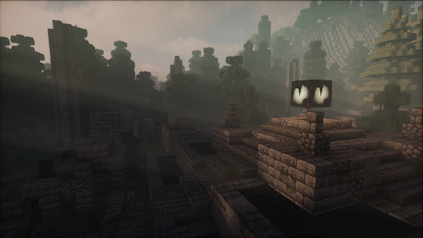
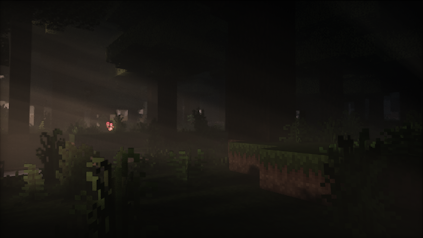
On top of all the spooky features and elements from Fear Nightfall, the music / sound effects are horrifying. Right from the start, you will feel uncomfortable and uneasy. You might even want to turn down the ambience noise – we wouldn’t blame you.
Face the Chaos with Friends
Fear Nightfall: Remains of Chaos is not for the faint of heart, but tackling its dark campaign with a friend can make the challenge all the more memorable. Whether you’re fighting for sanity points or exploring a new dimension, you now have everything you need to host this terrifying world and face the chaos together. Good luck, and try not to scream too loudly!
Common Issues
In cases where you’re completely unable to join the server, double-check that you’ve installed the Fear Nightfall modpack through CurseForge and launch the game from that. Additionally, see if your Apex server panel has successfully loaded the modpack.
We recommend lowering the render distance or other visual / graphic settings since this modpack is demanding. However, if all players on the server are lagging – then view our Modded Optimization Guide to find solutions.
You might want to increase the allocated memory on the CurseForge App to allow this modpack to run without any problems. This can be done by accessing the settings, then clicking Minecraft and scrolling down to Allocated Memory. However, there could be other reasons for the crash and may require you to do some troubleshooting.
This can happen for various reasons, but we strongly recommend contacting our Support Team. We will give you the assistance needed to resolve this problem. However, you can generate a new world to confirm if the world data is corrupted or causing the crash. If the server starts and doesn’t crash on a new world, then the old data is the reason.





















