



Tired of modpacks that claim to be focused on exploration but just drop you into a familiar biome list with a few extra tools? If you’re looking for an immersive world where true discovery is the key to progression, Sprout: Explore for More is the adventure you need. This pack transforms Minecraft into a land packed with custom structures, custom NPCs, and hidden dangers that challenge your skills. Ready to leave the comfort of your base and forge your own path? In this Apex Hosting guide, we’ll showcase the Sprout modpack for Minecraft and its installation 🔥
How to Download (Client)
Install CurseForge if you haven’t already, as it’s required for the modpack.
- Open the CurseForge App and search for “Sprout”.
- Click
Installand wait for the download to finish. - The modpack profile will appear under
My Modpacksonce complete.
How to Install (Server)
Purchase an Apex Hosting Server if you don’t already have one, then follow these steps:
- Navigate to your Apex server panel and open the
Game Filesection. - Use the dropdown and search for “Sprout”, then select it.
- In the prompts, click
Change Version>Generate New World>Restart Now. - Wait for the server to load and join using your Sprout modpack profile.
Sprout Modpack Showcase
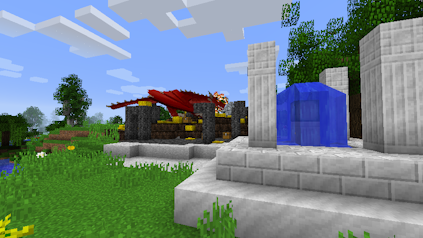
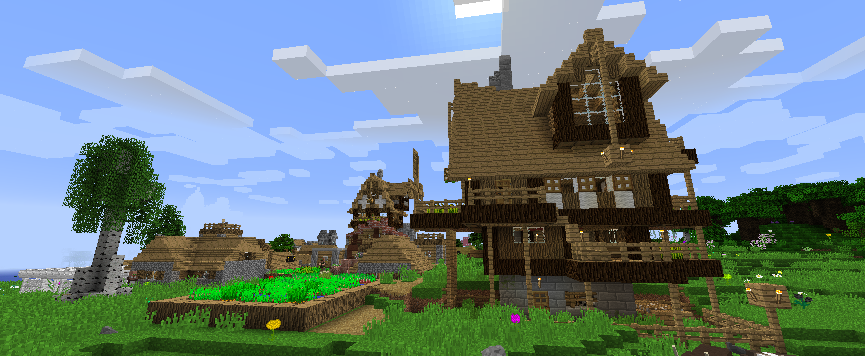
Sprout redefines exploration by making it a mandatory part of your gameplay. You won’t progress simply by mining – you’ll progress by finding and interacting with the world. The core of the Sprout experience is interacting with a world saturated with custom content. Moving away from spawn will lead you to bespoke structures built specifically for the modpack. These aren’t just for decoration, they often contain the NPCs you need to advance.
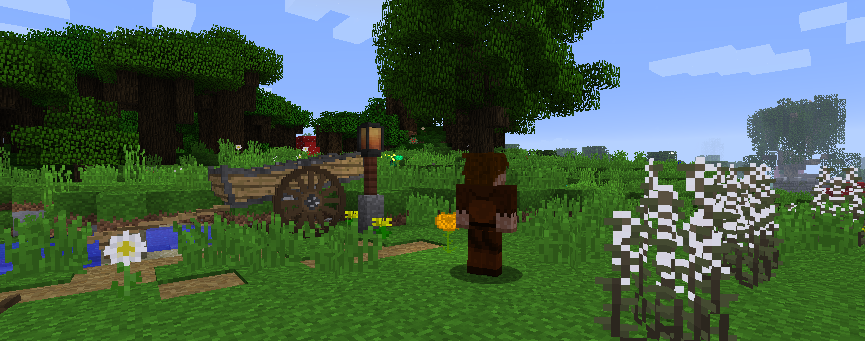
- NPC Interactions: Finding non-player characters is crucial, as they are the key source for new items, information, and progression.
- Quest Progression: Instead of a generic quest book, your journey is guided by the NPCs you encounter, who will provide tasks that require you to scavenge the world for rare materials and find hidden locations.
- Essential Loot: Many of the most important blocks and items, which are normally craftable in vanilla Minecraft, can only be found or purchased after a successful exploration run.
Normal vs. Scavenger
Sprout offers two distinct ways to play, ensuring the modpack caters to both casual explorers and hardcore survivalists. You can switch between these modes in-game using a simple command.
Normal Mode: This is the more forgiving default setting. While the exploration content is all present, recipes for most items are intact, so you aren’t absolutely required to rely on scavenging.
Scavenger Mode: This mode is the pack’s ultimate challenge, the ‘truer’ experience. Many item recipes are removed entirely, meaning vital gear like armor and specific blocks must be obtained by finding them in structures or purchasing them from NPCs. If an item is affected, it will feature a gold tooltip stating, “Scavenged” or “Purchased from ____.”
In order for you to switch between these two modpack modes, you must use the /packmode set scavenger command in-game.
Dangers Lurk in the Dark
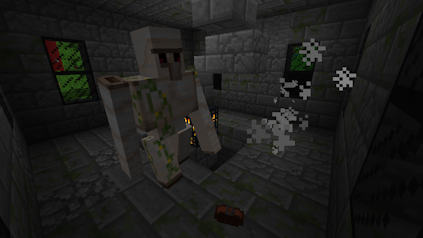
Exploration is rarely safe. As you travel further and further from your spawn point, the challenges scale up. New, custom threats await the unprepared. Be sure to gear up carefully, as a simple walk in the woods could lead to a sudden, fatal encounter. The need for better equipment and resources is the driving force behind the constant need to explore new structures and complete quests.
There are many other features from the Sprout modpack for Minecraft. These range from custom items to unique chunk loading. Check them all out with friends on your own server 👏
Embark on Your Grand Adventure!
Sprout: Explore for More delivers on its promise, offering an experience where the journey of discovery is the true measure of your progress. Whether you choose the challenging Scavenger mode or the default Normal mode, you and your friends will be forced to think outside the crafting table and explore the uncharted territories around you. Get your server running today and start uncovering the secrets hidden within the world!
Common Issues
In cases where you’re completely unable to join the server, double-check that you’ve installed the Sprout modpack through CurseForge and launch the game from that. Additionally, see if your Apex server panel has successfully loaded the modpack.
We recommend lowering the render distance or other visual / graphic settings since this modpack is demanding. However, if all players on the server are lagging – then view our Modded Optimization Guide to find solutions.
You might want to increase the allocated memory on the CurseForge App to allow this modpack to run without any problems. This can be done by accessing the settings, then clicking Minecraft and scrolling down to Allocated Memory. However, there could be other reasons for the crash and may require you to do some troubleshooting.
This can happen for various reasons, but we strongly recommend contacting our Support Team. We will give you the assistance needed to resolve this problem. However, you can generate a new world to confirm if the world data is corrupted or causing the crash. If the server starts and doesn’t crash on a new world, then the old data is the reason.





















