

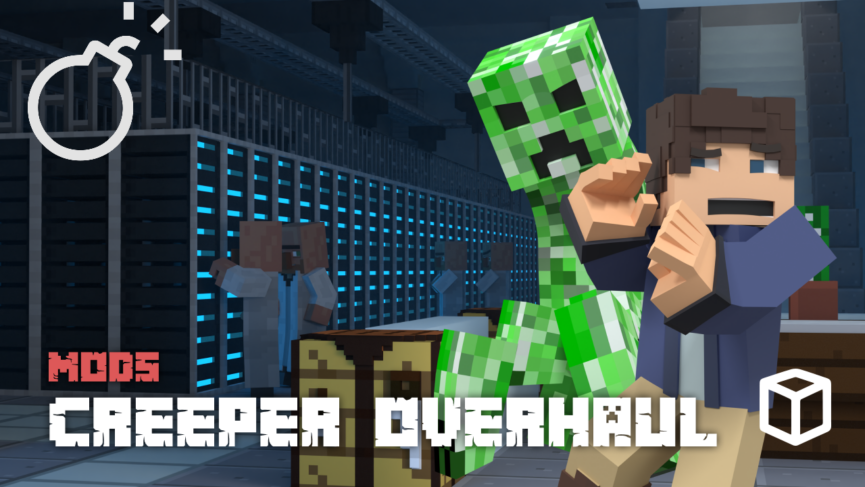
Do you flinch every time you hear that iconic hiss? The standard green creeper is a Minecraft legend, but after years of playing, it has become a bit predictable. If you want to revitalize your survival world with mobs that actually fit their environment, we have the perfect solution. In this Apex Hosting guide, we will showcase the Creeper Overhaul mod and how it changes the way you explore the world.
A New Look for an Old Mob
Creeper Overhaul replaces the generic green texture with a variety of biome-specific designs. Instead of a bright green stick standing out in a beige desert, you will face mobs that blend perfectly into the sand and stone. These elemental variants make exploration much more immersive. You might not even spot them in a cave until it is too late!
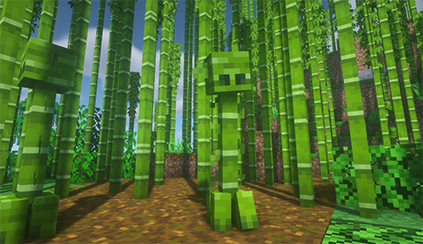
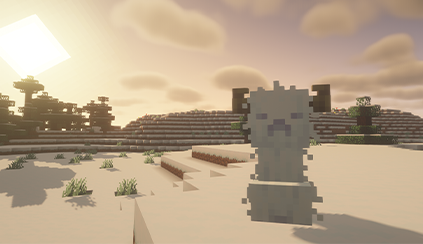
The danger comes with a payout. Unlike their vanilla cousins, these new creepers feature custom loot drops based on their home biome. Defeating them can yield valuable rewards rather than just simple Gunpowder. It turns a stressful encounter into a worthwhile hunt for resources.
Not every creeper is out to get you, though. The mod adds a variety of types, and some are far less aggressive than others. It forces you to learn which designs are threats and which ones are just part of the scenery.
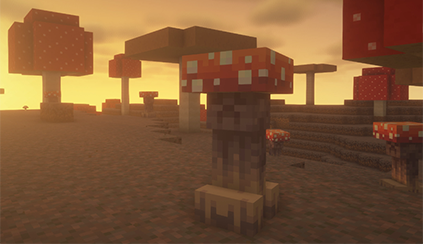
Not every creeper is out to get you, though. The mod adds a variety of types, and some are far less aggressive than others. It forces you to learn which designs are threats and which ones are just part of the scenery.
Community Resource Packs
The community has created two excellent resource packs to pair with this mod. These allow you to customize your experience even further.
- Creeper Overhaul Resource Pack: Do you love the new textures but want to keep the game vanilla? This pack takes the mod’s biome-specific skins and applies them to the standard vanilla creeper. You get the look without the modded mechanics.
- Creeper Overhaul Overhaul: This is a fan-made animation pack designed for the mod. It adds unique stylistic movements and life to the new variants.
How to Install Creeper Overhaul
The following sections will show you how to download, install, and set it up in Minecraft.
How to Download
- Navigate to Creeper Overhaul and download it.
- Make sure to choose the right file for your Mod Loader & Game Version.
- Save the mod file somewhere easily accessible on your computer.
⚠️ Fabric API is required for Fabric users.
How to Install
If you haven’t already, install Fabric or Forge on your Minecraft launcher to run the mod. Alternatively, you can install a third-party launcher such as CurseForge or Modrinth.
Default Launcher
Follow these instructions if you use the default launcher for Minecraft.
- Make sure Fabric or Forge is installed.
- Open the Minecraft Launcher → Installations tab.
- Click the folder icon next to your Fabric or Forge profile.
- Open (or create) a folder named mods.
- Move the Creeper Overhaul .jar file and required mods into that folder.
- Launch Minecraft with your Fabric/Forge profile.
Third-party Launcher
Follow the steps below if you use CurseForge, Modrinth, or another launcher.
- Open your launcher and select your modpack or profile.
- Click Add More Content or Install Mods.
- Search for “Creeper Overhaul”.
- Click Install – dependencies will automatically install if required.
- Launch the game to start using the mod.
Face the Boom
Creeper Overhaul is a fantastic way to breathe new life into your Minecraft server. It adds visual variety, exciting rewards, and a fresh layer of strategy to combat. Whether you are exploring the Badlands or diving into the deep oceans, there is a new challenge waiting for you. Get your server running with Apex Hosting today and watch your step! 🔥





















