

For those of us who want to instantly break trees in Minecraft or have seen similar features in modpacks, you might be wondering how to do that. With the FallingTree mod for Forge, NeoForge, or Fabric, you can do that with ease! Download, install, and boom – you can instantly break trees down with an axe. You can even customize how it breaks, such as different animations or modes. In this Apex Hosting guide, we’ll show you how to install and use the FallingTree mod for Minecraft 🌲🪓
How to Download
- Head towards FallingTree on CurseForge, then click the
Downloadbutton.
- Select a
Game VersionandMod Loader, when prompted.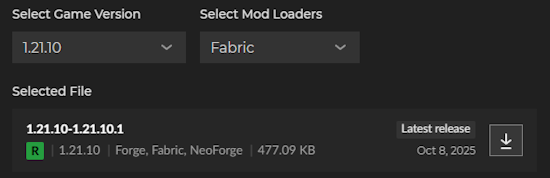
- Press the
Downloadbutton and save the file on your computer.
How to Install
- Head towards your Apex Server Panel, then click
FTP File Accessnear the top left.
- Login with your password, then open the
modsdirectory in the list. Drag + dropthe FallingTree JAR file into this folder and wait for it to finish uploading.
*Repeat this step with Fabric API, if you’re using the Fabric version of the mod.
- Return to the main panel, then
Restartthe Minecraft server to load the mod.
If you want to play singleplayer with this mod, then follow this guide.
FallingTree Mod
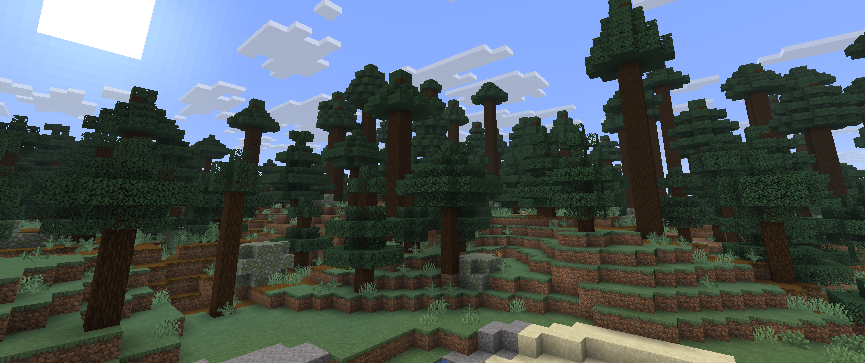
One of the most popular mods for Minecraft is FallingTree, an improved way to break trees. Whether you want cool animations or the fastest way to collect wooden logs, this mod has it all. With over 40 million downloads, this is trusted by thousands of Minecraft servers and players. It can be extremely useful when breaking tall trees – but also custom trees too.
There’s even a FallingTree Enchantments add-on that you can install to better control what tools are allowed to instantly break trees. With tons of settings in the default configuration, this can add more options for you to try out. It’s all highly customizable and offers you the ability to control everything.
Different Modes
There are various different break modes that you can use with FallingTree for Minecraft.
The first is the most common and set by default, Instantaneous. This allows players to completely break the tree with one wooden log being broken. All the leaves, sticks, and logs fall to the ground. Almost every Minecraft server and modpack uses this method to instantly break trees. However, there are others for you to try out!
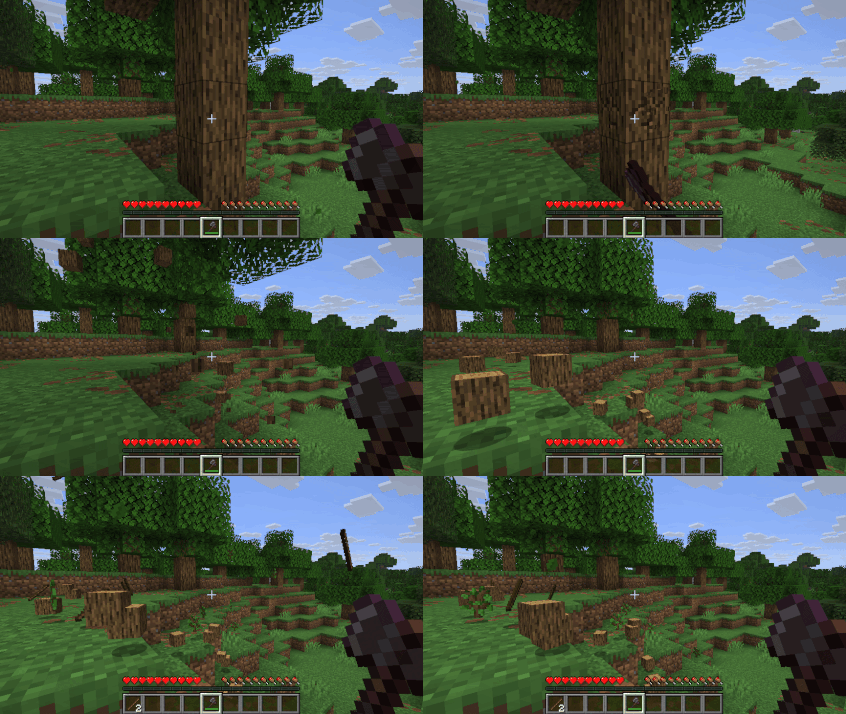
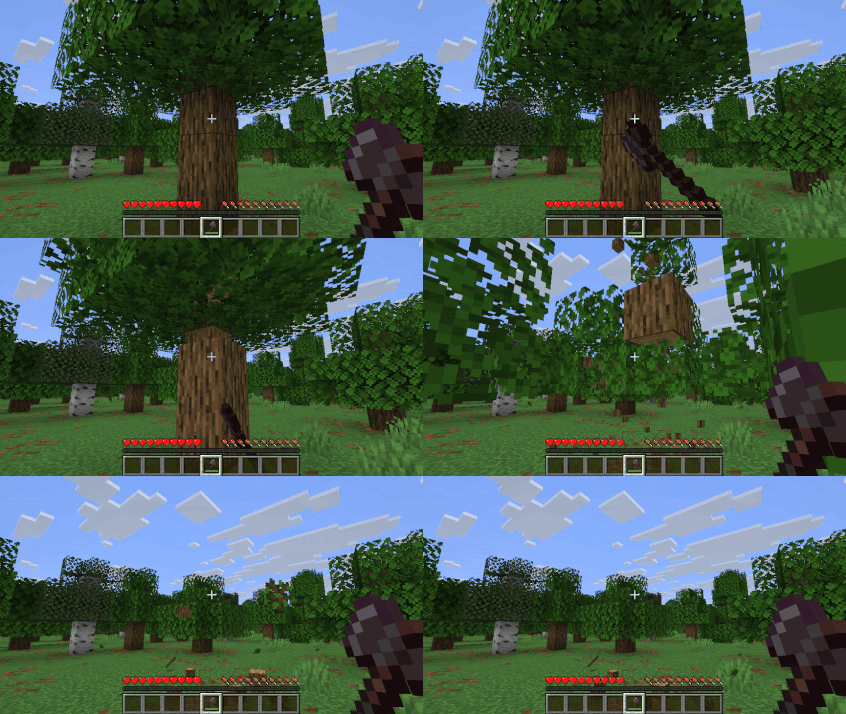
A more dramatic way to instantly break a tree is using Fall Item. This mode shoots the leaves and wooden logs in different directions, breaking upon impact. Depending on the tree’s size, this could create lag on your end. If you want this cool animation, then you can give it a shot. Otherwise, there are more modes you can use.
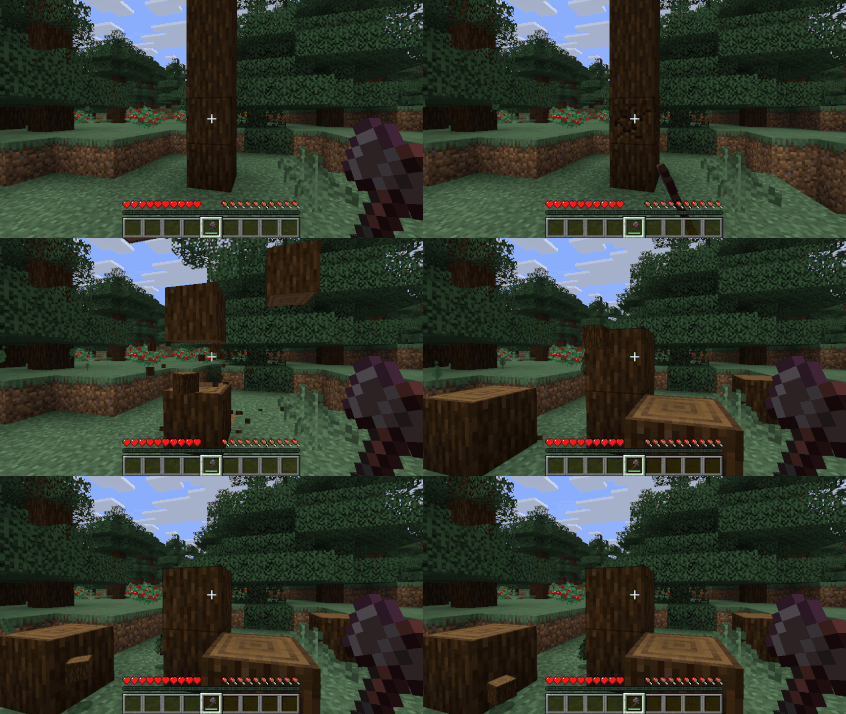
Similar to the above break mode, Fall Block sends the leaves and blocks in different directions – but with some not breaking entirely upon impact. It entirely depends on how you want to use FallingTree in Minecraft, but this does offer more variation to breaking trees. We encourage you to play around with what works and doesn’t for your setup.
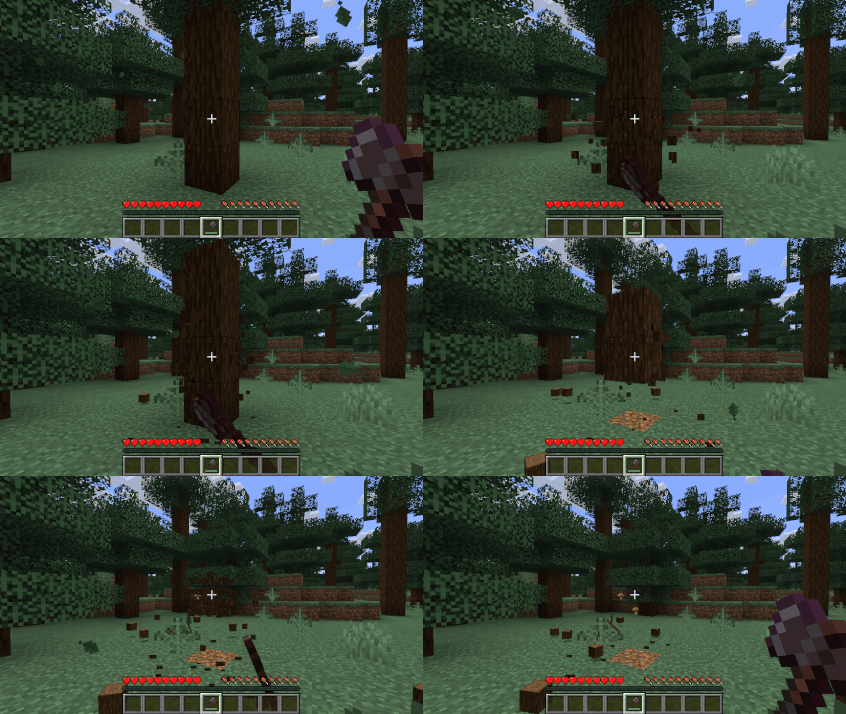
Another common breaking method is Shift Down, allowing all the wooden logs to shift one block down while you mine. This is a convenient way to break trees, as animations are limited and you can hold down the mouse button to easily collect wood. All leaves will disappear when there are no logs touching them, throwing sticks and saplings on the ground.
Configuration
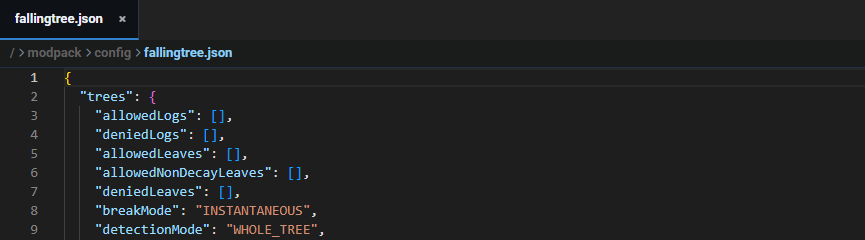
In order for you to change the breaking mode in FallingTree, you must edit its configuration. Whether you’re using Forge or Fabric, this will be the same. The “breakMode” setting is what controls the way you mine trees in Minecraft with this mod. Here are the official options you can use for that in the config file:
- INSTANTANEOUS
- FALL_ITEM
- FALL_BLOCK
- FALL_ALL_BLOCK
- SHIFT_DOWN
As for editing this file on your Minecraft server, follow these steps:
- While logged into the
FTP File Accessarea, navigate to theconfigdirectory. - Locate the
fallingtree.jsonfile, then double-click it. This opens the file editor! - Proceed to make any changes you want, then click
Saveat the bottom. Restartthe Minecraft server to apply the changes in-game.
Visit the Official Wiki for more information about FallingTree’s configuration.
FallingTree Mod for Minecraft
If you’ve ever wanted that instant tree-breaking power you’ve seen in modpacks, the FallingTree mod delivers exactly that. With just a quick install for Forge, NeoForge, or Fabric, you can make wood gathering faster and more dynamic than ever before. Plus, its customizable modes let you decide how trees fall – from simple instant breaks to collapsing animations. Once you’ve tried it, chopping trees the old way just won’t feel the same.





















