MrCrayfish’s Gun Mod brings modern weapons to Minecraft Forge servers, adding pistols, shotguns, assault rifles, a minigun, a bazooka, and more. Every weapon is crafted through a Gun Workbench, modified with attachments, and compatible with standard enchantments. This guide covers how to download and install the mod on a server and client, how to get started with weapons and ammo, and how to edit the configuration file.
How to Download
- Navigate to MrCrayfish’s Gun Mod on CurseForge and click Files near the top.

- Search for your desired game version.
- Press the three vertical dots on the right and click Download File.
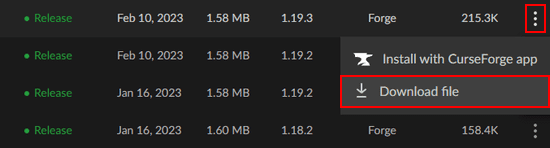
- Save the file to your computer.
Required Dependencies
The mod requires a dependency based on Forge version:
- Forge 1.18 and above: download the Framework mod from CurseForge
- Forge 1.16 and below: download Obfuscate from CurseForge
Without the correct dependency installed on both the client and server, the mod will not load.
Client Installation
MrCrayfish’s Gun Mod requires Forge installed in the Minecraft launcher before adding any mod files.
- Open your Minecraft launcher and click Installations near the top.
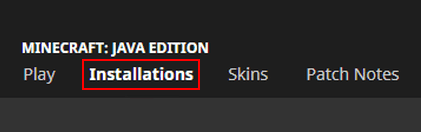
- Locate the Forge profile and press its Folder icon.

- Open the mods directory. If one does not exist, create it before continuing.
- Drag and drop the downloaded mod file and its dependency into the mods folder.

- Return to the launcher and click Play on the Forge profile to load the mod.
Server Installation
To play with others, install the mod on a Forge Minecraft server. Set the server’s game file to the correct Forge version from the main panel before uploading mod files.
- Log into your Apex server panel and click FTP File Access near the top left.
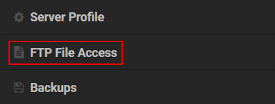
- Enter your password and click Login.
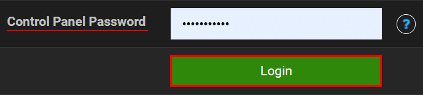
- Open the mods directory and click Upload at the top left.
- Drag and drop the mod file and its dependency into the upload area.

- Wait for the upload to reach 100%, then return to the main panel and click Restart.
Modbox Installation
As an alternative to the manual installation, you can install MrCrayfish’s Gun Mod on your server using Modbox, our built-in mod browser with direct CurseForge integration.
- Log in to your Apex Hosting account and open your Minecraft server panel.
- On the left side, select
Server Configuration > Modbox.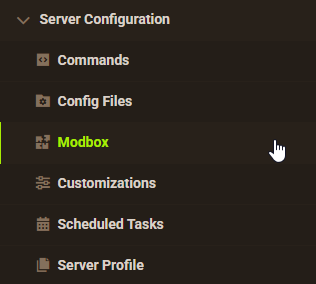
- Search for the mod you want and open its mod page.
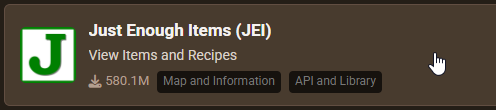
- Select the recommended version for your server, then click
Install.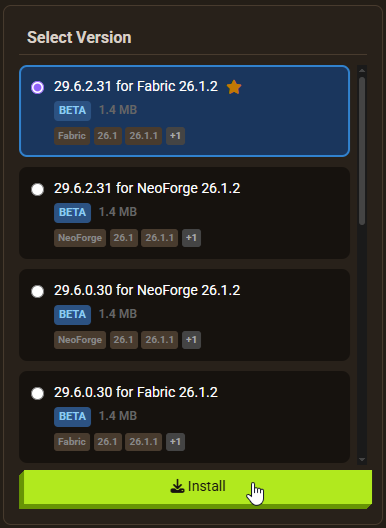
Note: Modbox automatically matches mods to your server's installed version, but does not install dependencies automatically. For more details on using Modbox, check out our full Modbox guide.
MrCrayfish’s Gun Mod requires a dependency depending on your Forge version: Framework for Forge 1.18 and above, or Obfuscate for Forge 1.16 and below. Search for and install the appropriate one individually through Modbox using the steps above, before installing MrCrayfish’s Gun Mod itself.
Getting Started
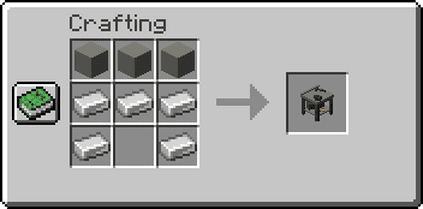
After joining the server, collect iron ingots and other materials to craft a Gun Workbench. This station is where all guns, attachments, and ammo are crafted. Installing the JEI mod alongside MrCrayfish’s Gun Mod makes it much easier to look up recipes and required materials.
Once armed, guns produce custom animations and recoil effects during firing. Attachments reduce recoil and improve accuracy. Enchantments from a standard enchanting table add durability and special effects, including Infinity on certain weapons to eliminate the need for ammo.


Gun Workbench
Craft a Gun Workbench and place it in the world. Right-clicking it opens the crafting interface for all guns, ammo, and attachments. The seven guns available in the mod are:
- Pistol
- Shotgun
- Assault Rifle
- Grenade Launcher
- Minigun
- Bazooka
- Heavy Rifle
Each gun has different material requirements. Iron ingots are the primary crafting component for most weapons.

Ammo and Utility
In addition to standard ammo, the mod includes throwable items. Grenades and Flashbangs are held and thrown by holding right-click before releasing. For standard firearms, craft Bullets, Advanced Bullets, Shells, or Missiles at the Gun Workbench. Materials include Iron Nuggets, Gunpowder, Copper Ingots, and Gold Nuggets depending on the ammo type.

Weapon Attachments
While holding a gun, press Z to open the Modify Attachments menu. Attachment types include Scopes, Silencers, Grips, and Stocks. Each attachment affects gun stats differently: a Short Scope decreases ADS speed, while grips and stocks can reduce recoil and projectile spread. Testing different combinations is recommended to find the best setup for each weapon.

Guns in Action
Each gun has custom first-person animations when fired. The Assault Rifle sways with high recoil; other weapons behave differently based on their type. The gun’s durability bar indicates how many bullets remain in the magazine. Reload before entering combat to avoid running empty. If attachments alone are not improving performance, adding enchantments is the next step.

Enchanting Guns
Guns can be placed in an enchanting table to receive standard Minecraft enchantments. Unbreaking and Mending extend the gun’s lifespan. Infinity, when applied to compatible weapons, removes the need to carry ammo. This makes Infinity one of the most useful enchantments for sustained combat.

Mod Addons
Third-party addons for MrCrayfish’s Gun Mod introduce additional weapons beyond the base seven. The Additional Guns addon is a common starting point. Addons are installed the same way as the main mod: download the file from CurseForge and upload it to the server’s mods folder alongside the base mod.

Configuration
The mod’s configuration files allow adjusting gun behaviors, damage values, and other settings.
- Open your Apex server panel and go to FTP File Access.
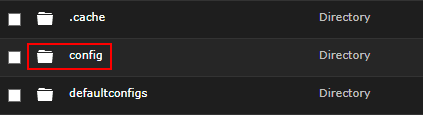
- Log in and navigate to the config directory.
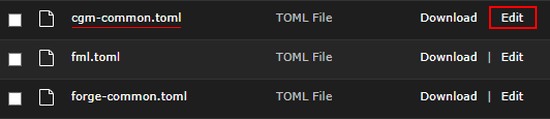
- Locate cgm-common.toml and click Edit.
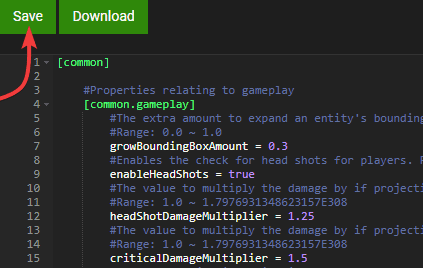
- Make changes, then click Save.
- Restart the server to apply the edits.
A second configuration file, cgm-server.toml, is found at .../[world name]/serverconfig/. Changes to this file affect only the specific world it belongs to. Other worlds on the same server retain their own settings.
Common Issues
If players cannot connect, verify that the mod version on the client matches the version on the server. Mismatched versions prevent connection. If versions match, try removing the usercache.json and whitelist.json files from the server files and restarting. If the problem continues, creating a new server profile generates a clean file directory without pre-existing conflicts.
A crashing server is most often caused by a missing dependency. Confirm that Framework is installed for Forge 1.18+ or Obfuscate for Forge 1.16 and below. If the dependency is present, review any recent changes to the configuration files for syntax errors. Incorrect formatting in cgm-common.toml or cgm-server.toml will cause the server to fail on startup.
Conclusion
MrCrayfish’s Gun Mod adds a functional weapon system to Minecraft Forge with seven craftable guns, a full attachment system, throwable utility items, and enchantment support. Installing it on an Apex Minecraft server requires uploading the mod file and the correct dependency through FTP. Once the server is running, the Gun Workbench is the central station for all crafting. To give yourself operator permissions for testing and server management, see the guide on how to OP yourself in Minecraft.
Useful Links
MrCrayfish’s Gun Mod on CurseForge
Installing Forge on the Minecraft Launcher
How to Add Mods to a Minecraft Server
Becoming a Minecraft Server Operator