

As artificial intelligence continues to advance in this new era of technology, so are mods for Minecraft. One of them is brand new, completely transforming your gameplay into something otherworldly. Introducing Oasis 2.0, allowing you to use AI to change the style of your world. The only limit is your imagination! Do you want a post-apocalyptic environment? What about making everything legos? With the Oasis 2.0 mod for Minecraft, you’re empowered to control the style of your world with AI. It’s a quick and easy installation, along with being user-friendly.
In this Apex Hosting guide, we’ll show you how to install and use Oasis 2.0 in Minecraft 🔥
What is Oasis by Decart AI?
Oasis first launched in October 2024 by Decart as an experimental AI generated “Minecraft-like” game, where every frame is created in real-time via a neural network. It was trained on gameplay footage so players could realistically interact with game mechanics. Each user could move around, mine blocks, build structures, and even take on community challenges.
Oasis quickly became popular, with thousands posting their funny and bizarre clips online. The Minecraft community was hooked and wanted more from Decart. Well – they delivered. Oasis 2.0 is now available and lets you take AI generation to the next level. It now uses a new video-to-video AI model that lets you transform Minecraft into anything you want.
How to Install Oasis 2.0 Mod
You must install Fabric before setting up Oasis 2.0 in Minecraft – click here to do that.
Download the following:
- Oasis 2.0
- Fabric API (Required)
- Kotlin (Required)
Follow the steps below:
- Open your Minecraft launcher and click the “
Installations” option near the top.
- Locate your previously installed Fabric profile, then press its “
Folder” icon.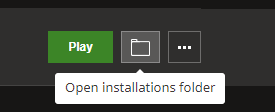
- In the newly opened window, find and enter the mods directory from the list.
- Proceed to drag and drop the downloaded files into this folder.
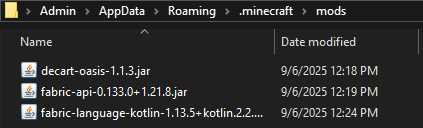
- You’re all done! Begin playing on the Fabric profile to use Oasis 2.0 in Minecraft.
Note: If you are unable to locate the “mods” directory on your computer, then create it.
Instead of using the Minecraft launcher, you can also use CurseForge to create custom profiles to run mods. This is safer, easier, and overall more streamlined for Minecraft modding.
How to Use Oasis 2.0 in Minecraft
- Play Minecraft with Fabric and Oasis 2.0 installed, then join a world.
- Open chat and run the
/oasis startcommand, then wait for a connection.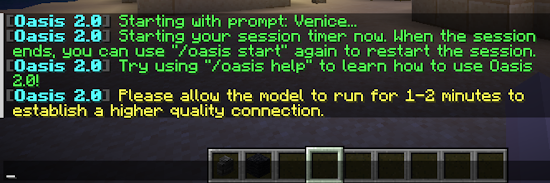
- Use
/oasis prompt [text]to begin changing the styles.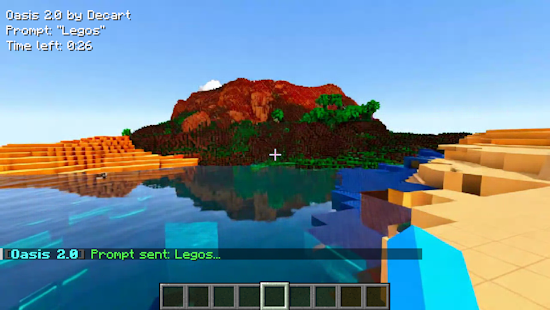
- Enjoy playing around with different styles. Press V to toggle the effects.
- When you’re finished, run the
/oasis stopcommand.
Prompts for AI Generation
There are endless possibilities with Oasis 2.0, literally. We’ve created some examples to showcase the power behind this AI mod for Minecraft. Check them out and try some for yourself in-game, but keep in mind that results might vary.
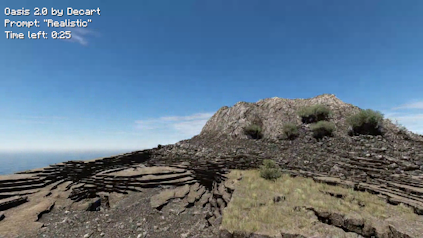
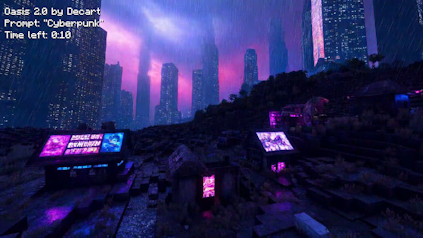
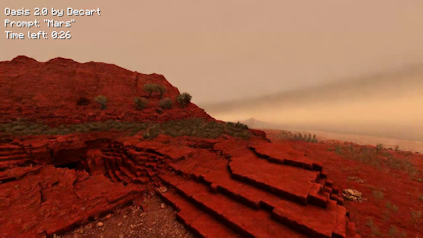
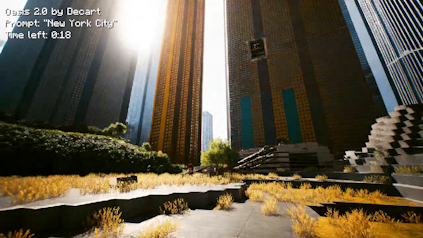
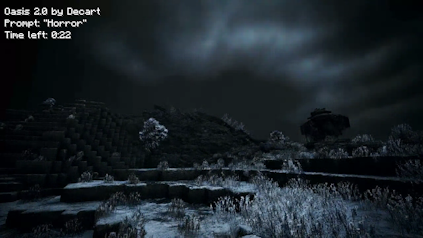
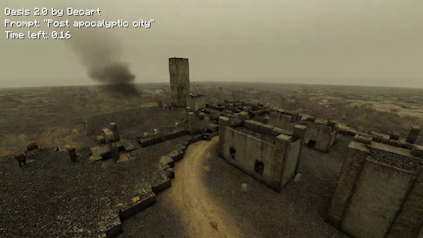
Transform Minecraft with AI Mods
Oasis 2.0 by Decart shows how AI can push Minecraft beyond the limits of normal mods, letting you instantly change the atmosphere of your world. From realistic cities to desolate wastelands, every prompt will show something new. Get creative and share your results with friends! With Oasis 2.0, transform your gameplay with various styles and aesthetics. Enjoy yourself 👏
Oasis 2.0 – FAQ
No, the mod is not designed for servers. Only install Oasis 2.0 on your Minecraft launcher.
No, as of right now the mod is only for Fabric. Possibly in the future, Decart will release a Forge version. However, there are no concrete plans for that.
Make sure you’ve installed Fabric, Oasis 2.0, and its dependencies in Minecraft. This can be done by the default launcher, CurseForge App, or other third-party launchers. Afterwards, you will need to run the /oasis start command – then wait for a successful connection. The AI generation is not being run locally, meaning the mod connects to an official Decart server to work properly.
If you’re stuck waiting (in queue) for Oasis 2.0, then consider restarting the game. This can help reset the queue, giving you the best chance to begin playing with the mod. Alternatively, you can use commands to start / stop the operation. Either method should work, but Decart servers could be offline or overloaded causing the issue.
This happens because the AI is generating in real-time and uses a video-to-video model. The performance is entirely dependent on Decart and can vary depending on prompts. Developers are aware of these issues and are working on resolving them, but there is no timeline.
Due to the high number of players using the mod, a queue is required. This helps offset incoming traffic to Decart servers operating the AI model. Each user is granted 30 minutes, so take advantage while you can. When you run out of time, you need to redo the starting command.





















