


One of the best ways to obtain useful or rare items in Minecraft is trading with villagers. From enchanted books to gravel blocks, each villager has unique trades to offer you. You can enhance this by using the VillagersPlus mod for Minecraft Forge & Fabric. This adds new villagers, trades, and beautiful workstations to the game. Head over to see an alchemist or horticulturist, two examples from this mod that you can find. In this Apex Hosting guide, we’ll showcase the VillagersPlus mod and explain the installation process 👏
VillagersPlus Showcase
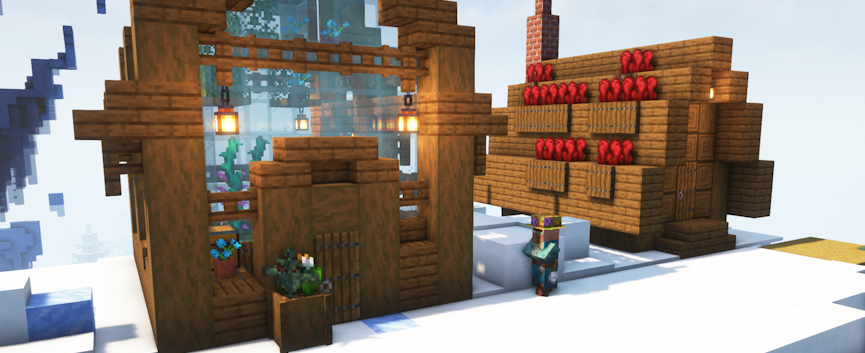
This villager expansion adds new professions, workstations, and trade offers to Minecraft! Do you cultivate flowers? Brew potions? Explore the deep seas? With the VillagersPlus mod, this amplifies all of that – in a dynamic and rewarding way. There’s even datapack support with Supplementaries and Promenade, allowing you to customize trades and add new content. Beyond that, here’s the base features from VillagersPlus!
New Villagers
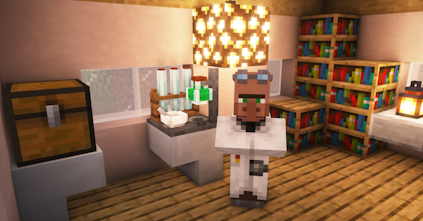
First on our list is the Alchemist, this villager has everything you need for brewing. Their workstation, Alchemist Table, allows you to combine gunpowder, 3 empty bottles, and 1 potion. There’s a 1/3 chance it will create three random potions, and a 2/3 chance it explodes, destroying everything inside. Besides this feature, the Alchemist offers items such as Dragon’s Breath, Blaze Rods, and Phantom Membranes.
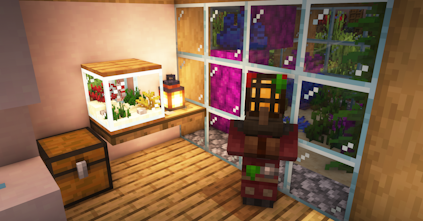
Up next is the Oceanographer, a villager for those who love the ocean. They trade corals, sea plants, and aquatic creatures! Using the Aquarium workstation, it can hold up to 4 sea plants and 1 bucketed mob. Higher-level trades include Sponges, Nautilus Shells, and tropical fish. This villager is essential for underwater builds and resource gathering.
Mysterious and spiritual, the Occultist deals in magical items such as amethyst, candles, soul materials, and Spectral Arrows. Their workstation, Enchanted Basin, allows players to store and release experience. To use it, sneak right-click to store XP and right-click to withdraw it. This villager is ideal for players who love enchanting, alchemy, and eerie aesthetics.
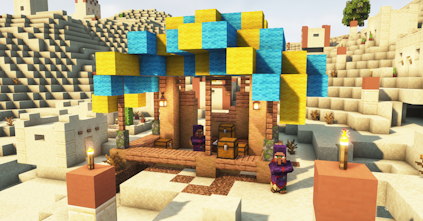
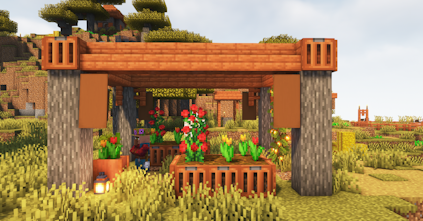
For those who love nature, the Horticulturist is perfect! This villager specializes in flowers, saplings, and natural blocks. The Flower Tub serves as their workstation, capable of holding up to 4 plants. As the villager levels up, they trade rare flora like Spore Blossoms, Wither Roses, and Azalea Leaves. Players can use these to make gardens or to decorate their homes.
New Trades
- Horticulturist
Buys and sells flowers, saplings, seeds, and leaves. Unlocks rare flora like Spore Blossoms and Wither Roses. Ideal for lush gardens. - Oceanographer
Sells coral, sea plants, and aquatic mobs. Can revive dead coral with emeralds. Higher levels unlock rare ocean items.
- Occultist
Trades mystical materials like amethyst, soul items, candles, and glow ink sacs. Offers Spectral Arrows and XP Bottles. - Alchemist
Provides potion ingredients and brewing materials like Blaze Powder and Ghast Tears. Great for rare potion-focused gameplay.
VillagersPlus Setup
The following sections will show you how to download, install, and set it up in Minecraft.
How to Download
- Navigate to VillagersPlus on Modrinth and download it.
- Make sure to choose the right file for your
Mod Loader&Game Version. - Save the mod file somewhere easily accessible on your computer.
- Fabric Only: Repeat the same steps for Fabric API – a required dependency.
How to Install
If you haven’t already, install Fabric or Forge on your Minecraft launcher to run the mod. Alternatively, you can install a third-party launcher such as Modrinth.
Follow these instructions if you use the default launcher for Minecraft.
- Make sure Fabric or Forge is installed.
- Open the Minecraft Launcher →
Installationstab. - Click the folder icon next to your Fabric or Forge profile.
- Open (or create) a folder named
mods. - Move the VillagersPlus .jar file and required mods into that folder.
- Launch Minecraft with your Fabric/Forge profile.
Review the steps below to install using Modrinth.
- Open the Modrinth App and select your modpack or profile.
- Click
Add Mods& search for “VillagersPlus”. - Click
Installand wait for everything to be set up. - Launch the game to start using the mod.
⚠️ You can use CurseForge or another launcher, but they will have slightly different steps.
Server Setup
Before getting started, purchase a server if you don’t already own one.
- Head towards your Apex server panel and click the
FTP File Accessbutton. - Continue to enter your
Passwordin the text box, then pressLogin. - On the next page, locate and click the
modsdirectory once found. - Drag all .jar file(s) into this folder, then wait for them to reach 100%.
- Return to the main panel and restart the server.
- (Optional): Generate a new world for custom structures.
👇 For more detailed information, follow the guide below.
How to Install Mods to Your Minecraft Server
VillagersPlus – FAQ
Yes! This mod is available for Minecraft Forge and Fabric, across various game versions.
If you’re using Forge, there are no dependencies. If you’re using Fabric, the only dependency is Fabric API. Besides that, there are no other required mods to get VillagersPlus working.
Make sure the mod is compatible with your Minecraft server and/or client. You need VillagersPlus to be on the same game version and mod loader, so no issues arise. Additionally, you might want to generate a new world to find the new villagers – or explore new chunks of your world.
Maybe, but as of right now the only official support is Supplementaries and Promenade.





















