Overview
When owning a Minecraft Server, the wide range of versions available can be both a blessing and a curse. On one hand, you can easily adjust the version to fit whichever mods or plugins you need, but players may become frustrated when they need to constantly use differing versions for their servers. This issue is completely mitigated through the ViaVersion plugin, which can be used to allow newer-version players to join an older server. In addition, the matching add-on plugins can also be used for older players to connect to a server server at the same time. With all of them together, server players will be able to join while using any version from 1.8 and above without any extra work. With Apex Hosting, installing plugins is as simple as making use of our FTP File Access, so we have created this guide to ease you through the installation steps.
Summary
ViaVersion is a Minecraft plugin created by FormallyMyles on CurseForge. Available for any version over 1.8 and over 1.72 million downloads, this massively popular plugin is used in many servers. Using ViaVersion and its addons, players can join a server whether they are on a newer or older version.
Understanding ViaVersion Addons
While ViaVersion can be used by itself, it is also available for use with two other sub-plugins which have their own functionality.
ViaVersion – Allows players to connect while they are running a newer version.
ViaBackwards – Allows players to connect with an older Minecraft version later than 1.8.
ViaRewind – Similar to VB, but allows 1.7 and 1.8 players to connect to a newer server.

For example, if a server is running version 1.16 and you want a 1.18 player to join, ViaVersion is needed on the server. In the same example, if a 1.10 player wishes to join, ViaBackwards can be needed. A visual guide to this can be found in the above chart.
Modbox Installation
IMPORTANT: Make sure to have Spigot or Paper selected in the Game File option on your server panel so plugins can work properly.
- Head towards your Apex server panel for the server.
- Navigate to
Server Configuration > Modboxon the left.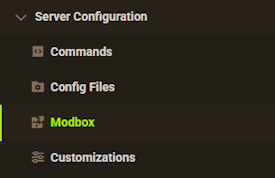
- Choose the version and search for the plugin you want, then select it.
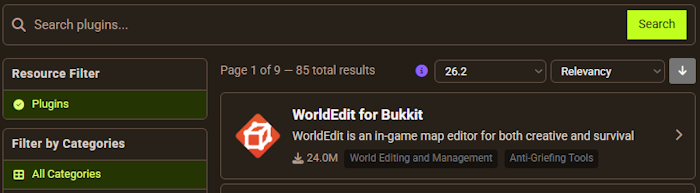
- Click
Installon the left and wait for it to be installed. - Restart the server to load the plugin. Repeat this process for any other plugins.
Manual Installation
Download ViaVersion on Bukkit or Spigot and follow these steps:
- Download the plugin file from the link above.
- Head towards your Apex server panel for the server.
- Locate the Game File option, then select Spigot or Paper if you haven't already.
- Navigate to
File Management > FTP File Accessand login. - Drag + drop the .jar file in the
pluginsdirectory. Alternative: Click theUploadbutton and select the file. - Wait for this to finish, then return to the main panel.
- Restart the server and the plugin should load properly once you join.
Usage
Once installed, a simple server restart will allow ViaVersion and its addons to be activated automatically. The plugin will work out of the box, so no configuration is required and can be tested immediately. If version 1.7 is used, the ProtocolSupport plugin may also need to be installed. Otherwise like before, everything will function automatically.
This can be extremely beneficial if running other plugins such as Geyser, as Bedrock and Java version updates can be inconsistent. ViaVersion completely removes this issue though, as long as the plugin is updated once in a while when new versions release.
Common Issues
I have issues trying to join with 1.7:
If you are using ViaRewind and are receiving issues while joining with the 1.7 server version, there could be a few potential issues. First, try to install the latest version of ProtocolSupport to your server. If issues still occur or you are receiving game crashes, try to lower the in-game render distance, as 1.7 can crash if the distance is too high.
Outdated Server! I’m still on X.X.X:
If you receive this error at any point, it can primarily be caused when a player is joining from the newest Minecraft version and the ViaVersion plugin has not been updated yet. To fix this, return to the ViaVersion Spigot page and redownload the latest version. Once complete, visit the FTP File Access and plugins folder like before while the server is turned off. Delete the old .jar file, then replace it with the newest one. The server can then be restarted to try again!
My blocks look weird:
This is a possible side-effect of the process the plugin uses to send data to older versions of the game. To fix it: go to the ViaVersion config file and change “serverside-blockconnections” to “true”. The config file can be found in the “Config Files” tab of the control panel, or in FTP File Access under the Plugins folder.
Helpful Links
How to Install Plugins
ViaVersion Spigot Page
ProtocolSupport Plugin Page