


Overview
While playing on your dedicated Sons Of The Forest server, you may want to enable cheats or become an admin to better manage the gameplay. This is a fairly simple process but involves editing files and entering commands in the chat. Once properly configured, your account will have access to a special admin panel to perform actions. Whether you want to spawn items or change movement speed, this feature comes in handy to do that and more. However, setting this up isn’t commonly known among SOTF server owners. Due to this, we’ve created this Apex Hosting guide to show you how to set up admins on your Sons Of The Forest server.
Sons Of The Forest Admins

There are many benefits to becoming an admin on Sons Of The Forest servers, such as the ability to get all items or change how companions act in-game. Others include altering the world, regenerating health, and forcibly killing enemies, among many more options. It’s an essential part of owning and hosting a SOTF dedicated server, as it provides you with extra tools normal players cannot use. With this in mind, the subsections below guides you through the process of becoming an admin and using the panel to perform commands.
Setting Up Admins
Our panel simplifies the entire process for adding accounts to the admin list, as it’s all accessible from the FTP panel. This involves you entering any desired SteamID(s) in the file, then saving the changes and restarting the server. However, extra steps are required to activate the admin panel in-game. For the time being, follow along below to add your account to the list.
- Head towards your Apex server panel and click
FTP File Accessnear the top left.
- Continue to enter your
Passwordin the text box, then press theLoginbutton.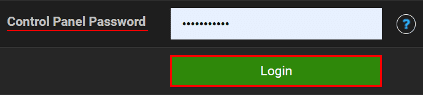
- Afterward, navigate towards the
apex_sotf_serverdirectory from the list.
- Once inside of this folder, locate the ownerswhitelist.txt file and click
Editto the right.
- Proceed to enter your account’s SteamID on a new line, then click
Saveat the top.
Note: This can be found by using SteamID IO or viewing
Account Detailson Steam. - Repeat this process for every admin, then
Restartthe server from the main panel.
How to Enable Admin Panel
After the server loads and your account is considered administrator, you can join to begin using commands. This involves you entering a specific chat message, then pressing a key to open the admin panel. Luckily, every single command is already shown in this area for your convenience. Although, in the next subsection we’ve compiled the most helpful ones to get you started. When you’re ready to enable this feature, follow these steps below.
- While in your server, open the chat box by pressing
Enteron your keyboard. - Afterward, send the cheatstick message to enable the admin panel.

- Once you’ve done this, press
F1to reveal this feature in-game.
- At the top of your screen, enter your desired command in the text box.
- If successful, you should see a return message in the bottom left corner.

Admin Commands
Due to the amount of available Sons Of The Forest commands, it can be difficult to know the best ones. The vast majority of these are straightforward, meaning they are self explanatory. Regardless of this, we’ve created a table below for you to quickly learn about the most common commands to use on your dedicated game server.
| Command | Description |
|---|---|
| addallitems | Gives your player all possible items in the game. |
| additem [item] | Gives your player a specific item in the game. |
| godmode [on / off] | Ability to make your player invisible from all attacks. |
| aigodmode [on / off] | Ability to make companions invincible from all attacks. |
| invisible [on / off] | Ability to make your player invisible to enemies. |
| aighostplayer [on / off] | Ability to make companions invisible to enemies. |
| addcharacter [character] | Instantly spawn any character in the world. |
| speedyrun [on / off] | Toggle between fast and normal movement speed. |
| superjump [on / off] | Toggle between super and normal jump. |
| instantbookbuild [on / off] | Allows you to build anything from the book. |
Common Issues
In some cases, you and other administrators may have a hard time accessing the panel. This is likely caused by forgetting to enter the cheatstick message before trying it. Make sure you’re typing this in the chat box, which only becomes visible when pressing Enter on your keyboard. Once you’ve done this, use the F1 key to open the admin panel. If the situation persists, then it could be that you’ve failed to enter a valid SteamID in the file.
Occasionally, the cheatstick message won’t work in the chat. This happens when entering incorrect SteamID values in the ownerswhitelist.txt file. Remember, this can be located by checking your Account Details from Steam, near the top of its page. Copy and paste these values into the file and click Save, then Restart the server to try again. This should resolve the situation and allow you to use the admin panel. Although, keep in mind that these values aren’t your SteamID64 or anything else.
Useful Links
Sons Of The Forest Server Hosting
Information & Release for Sons Of The Forest
The AI System in Sons Of The Forest
Sons Of The Forest vs The Forest
Sons Of The Forest Guides





















